

How to Find Your Calendar ID
This help doc will help you find your Calendar ID for the Event Calendar Plugin for WordPress.
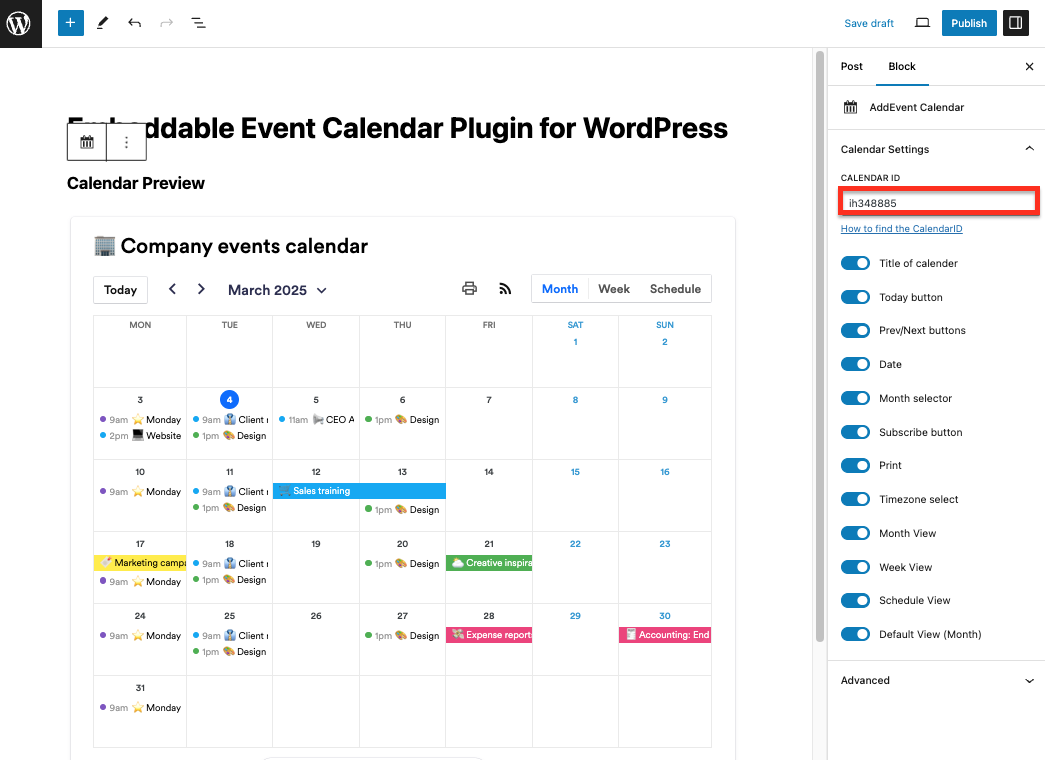
Please note: The AddEvent Calendar block will load a calendar with a default Calendar ID in it. You will need to update this CalendarID for the block to display the calendar you would like
-
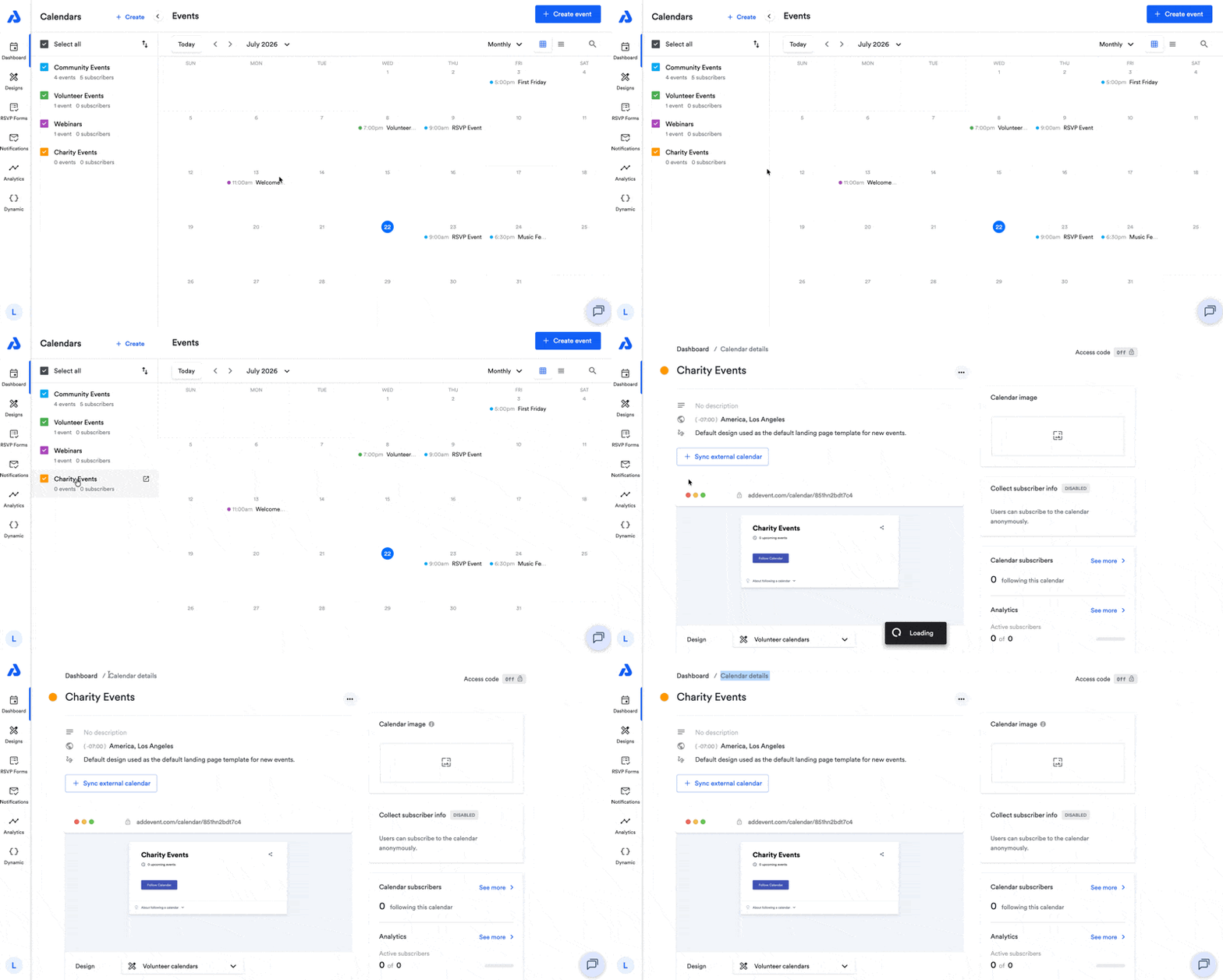
To find your calendar's Unique Key, go to your AddEvent Dashboard and click the calendar's title from the Calendars list to be directed to the Calendar details page.
-
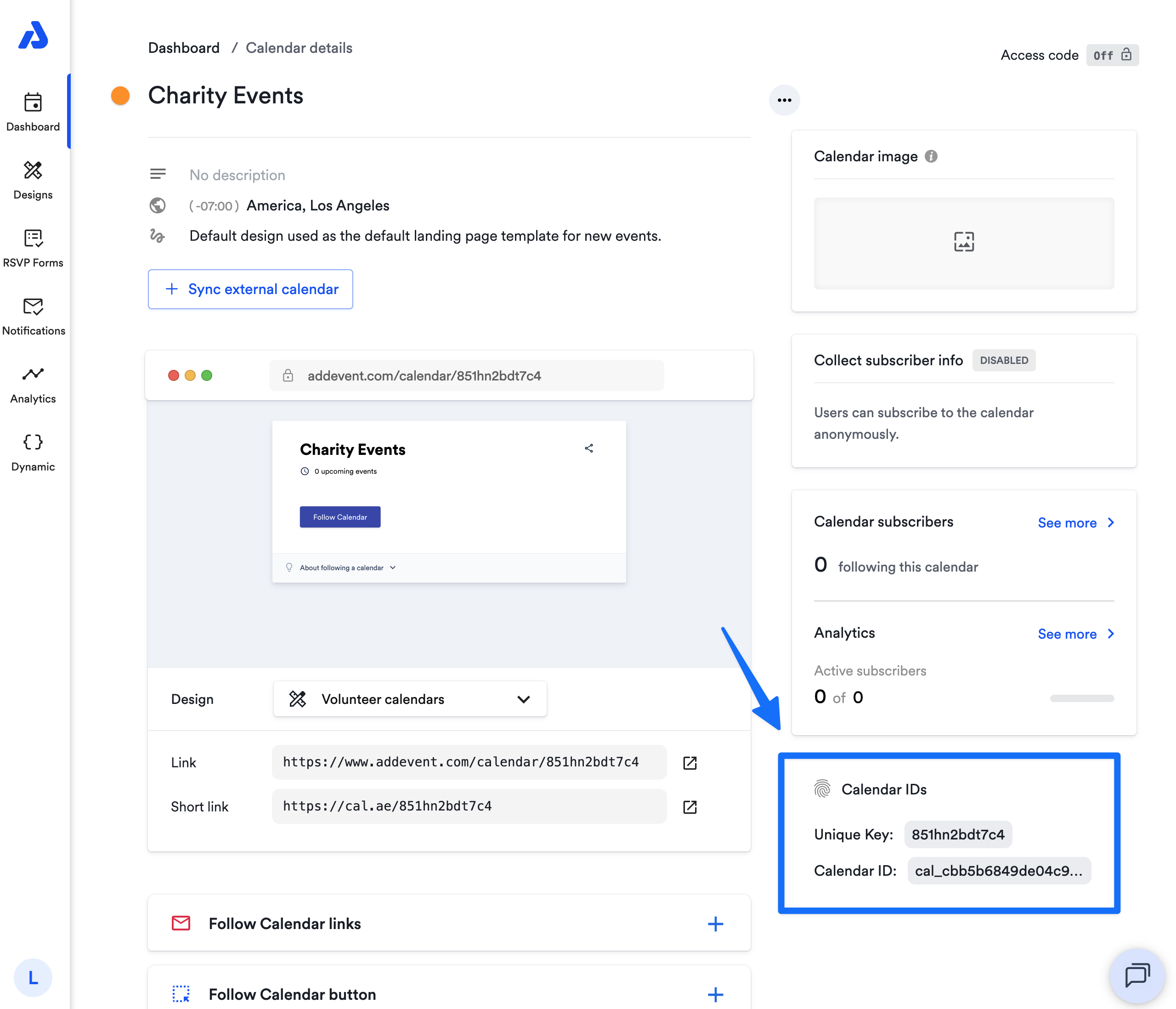
On the Calendar details page, on the right-hand side, you will find two types of Calendar IDs. Copy the first ID that you see under Calendar IDs, called Unique Key:
- Open your WordPress page and paste your Unique Key and the Calendar ID in the box in the right-hand side block settings.
- Review the calendar preview to make sure it is the correct calendar.
- Click Publish and you're all done!
Updated 3 months ago
Did this page help you?