

Create Dynamic Add to Calendar Buttons
This help doc shares how to create a dynamic event in the Set Up tab in your AddEvent account. Dynamic Add to Calendar Buttons (dynamic events) are a feature offered by AddEvent to customers that allow you to dynamically create calendar invitations without needing to pre-set specific events in advance. These automated event links can be easily embedded into emails or web pages to streamline scheduling and event invites for users.
How to Create a Dynamic Add to Calendar Button In-App
-
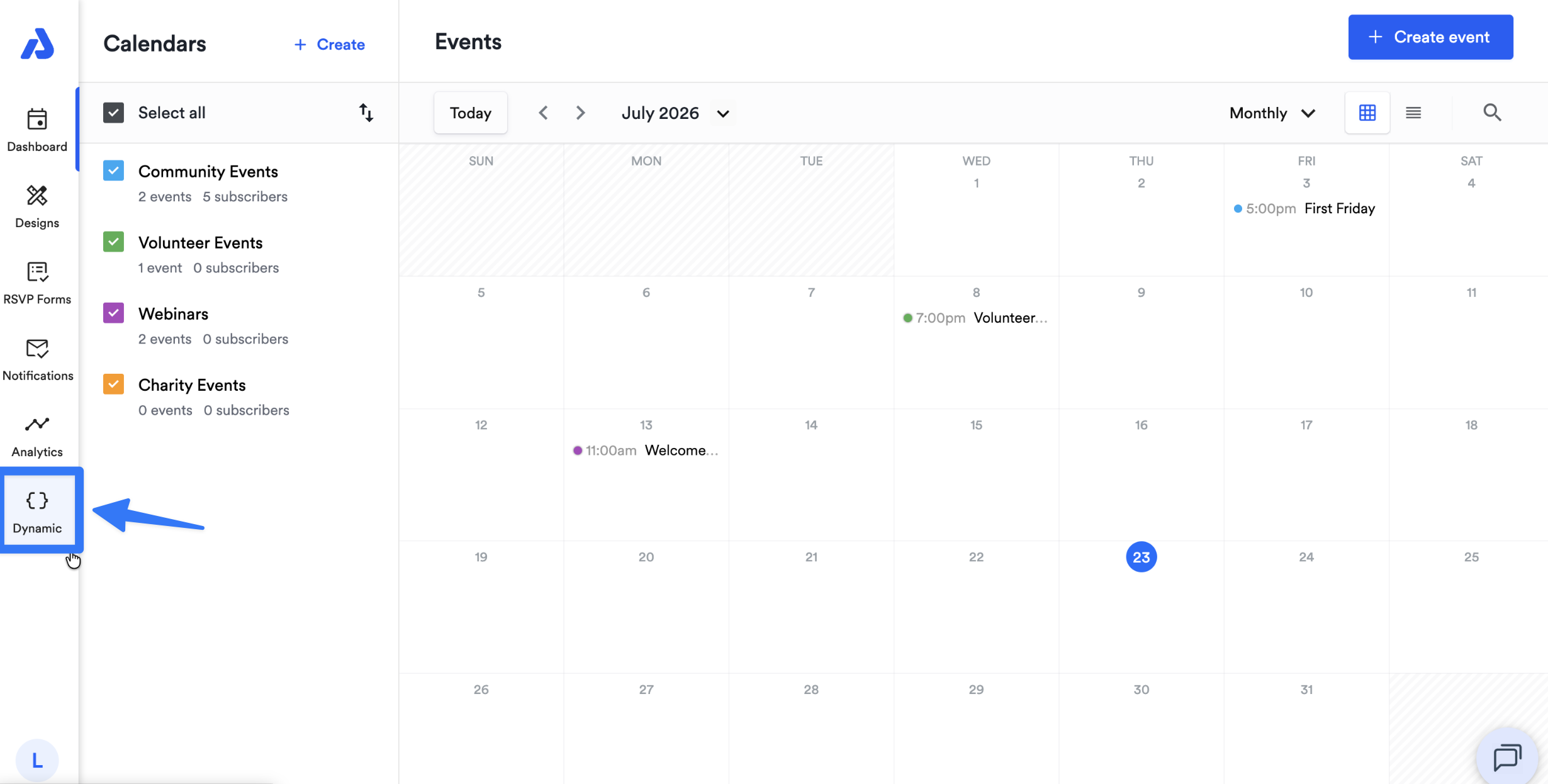
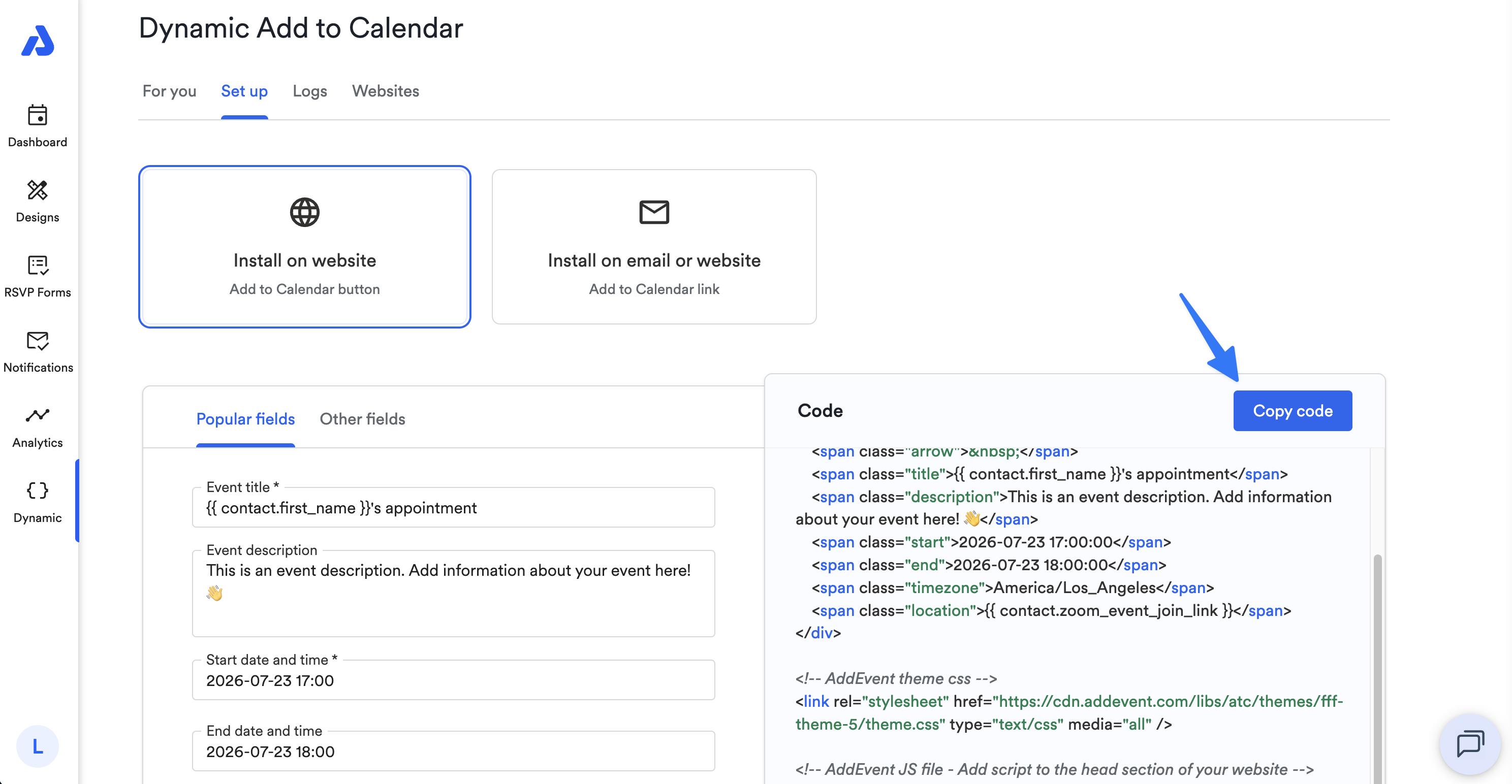
From the Dashboard, select the Dynamic tab on the left-side navigation menu.
-
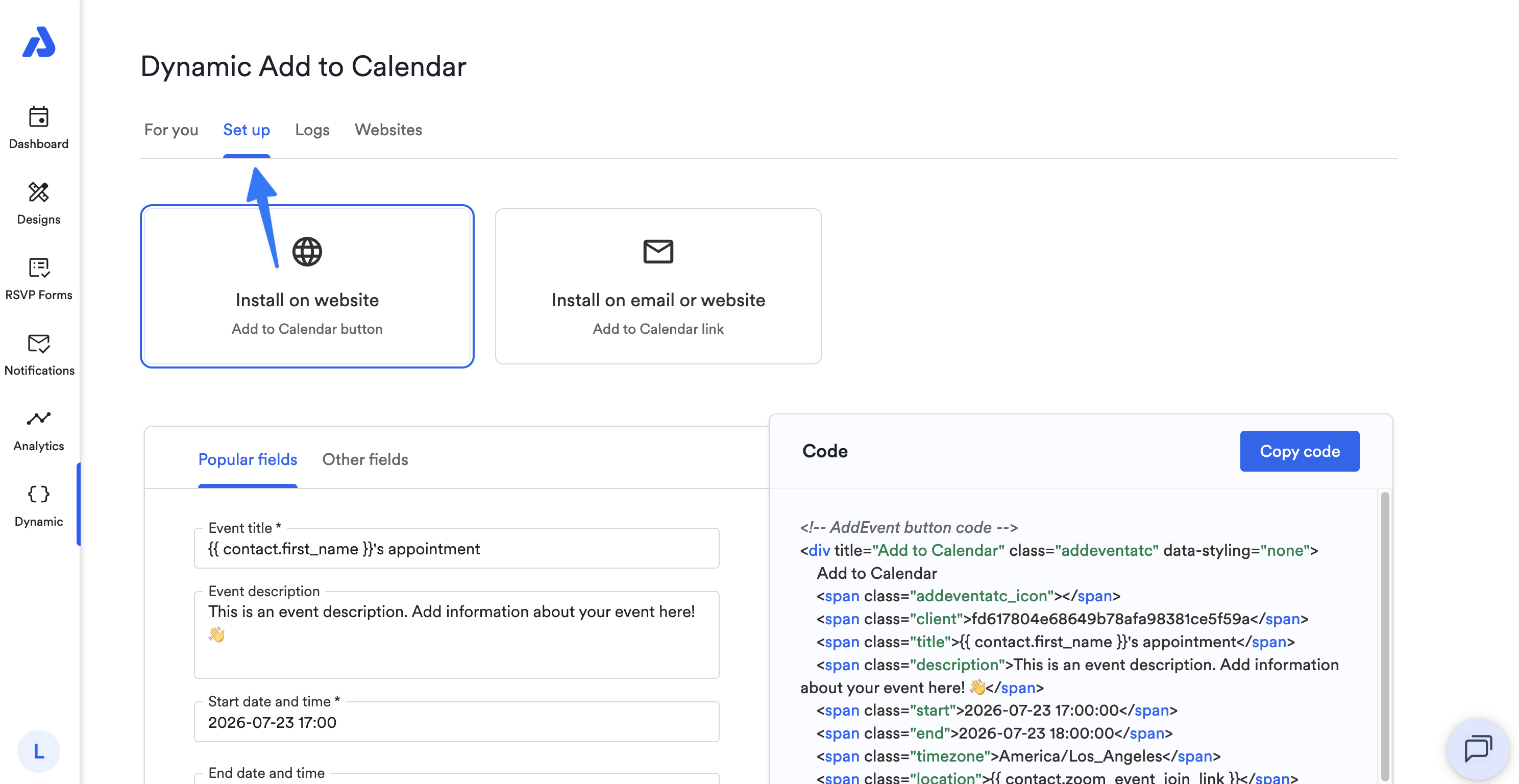
Select the Set up tab to get started.
-
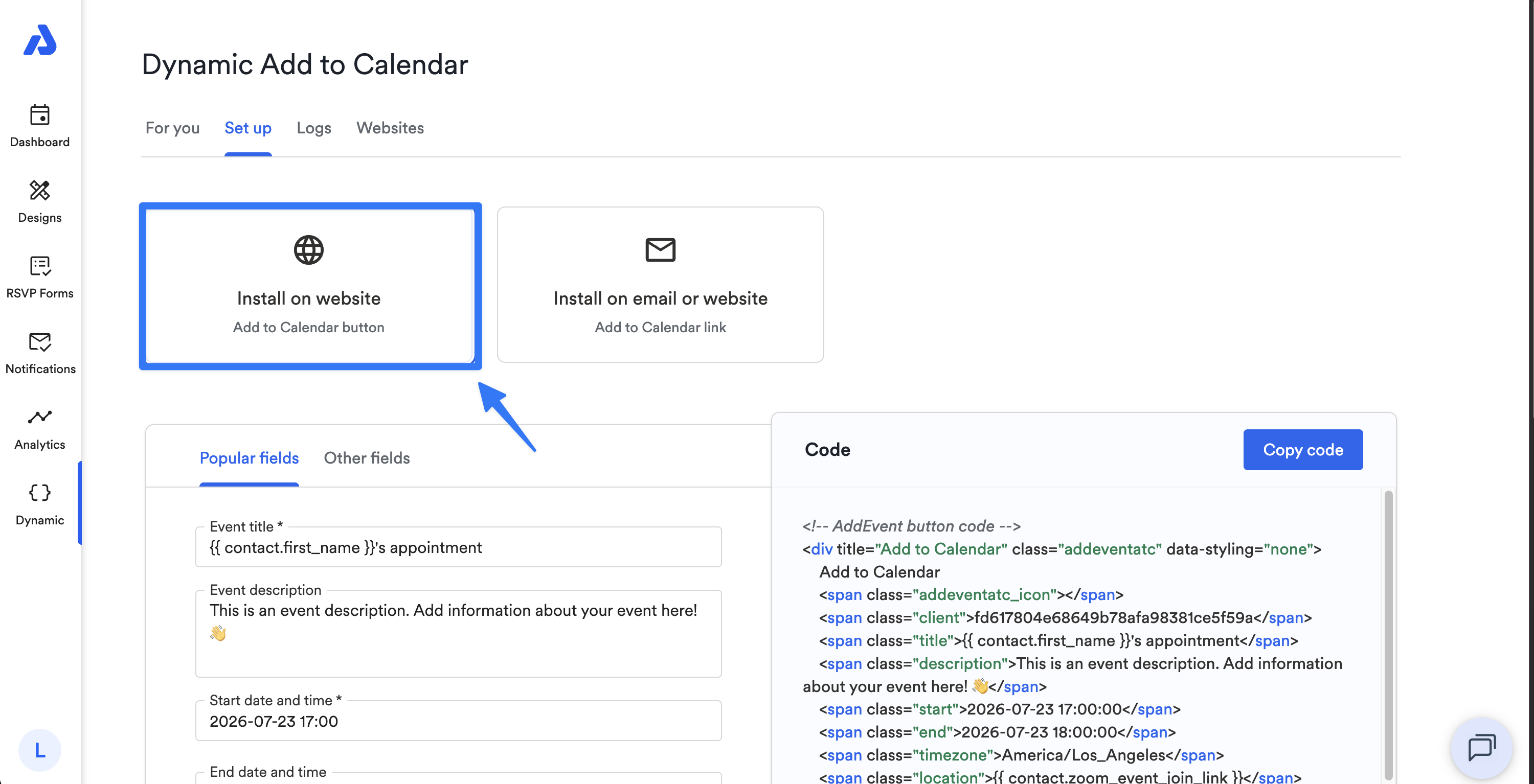
Ensure the Install on website option is selected.
-
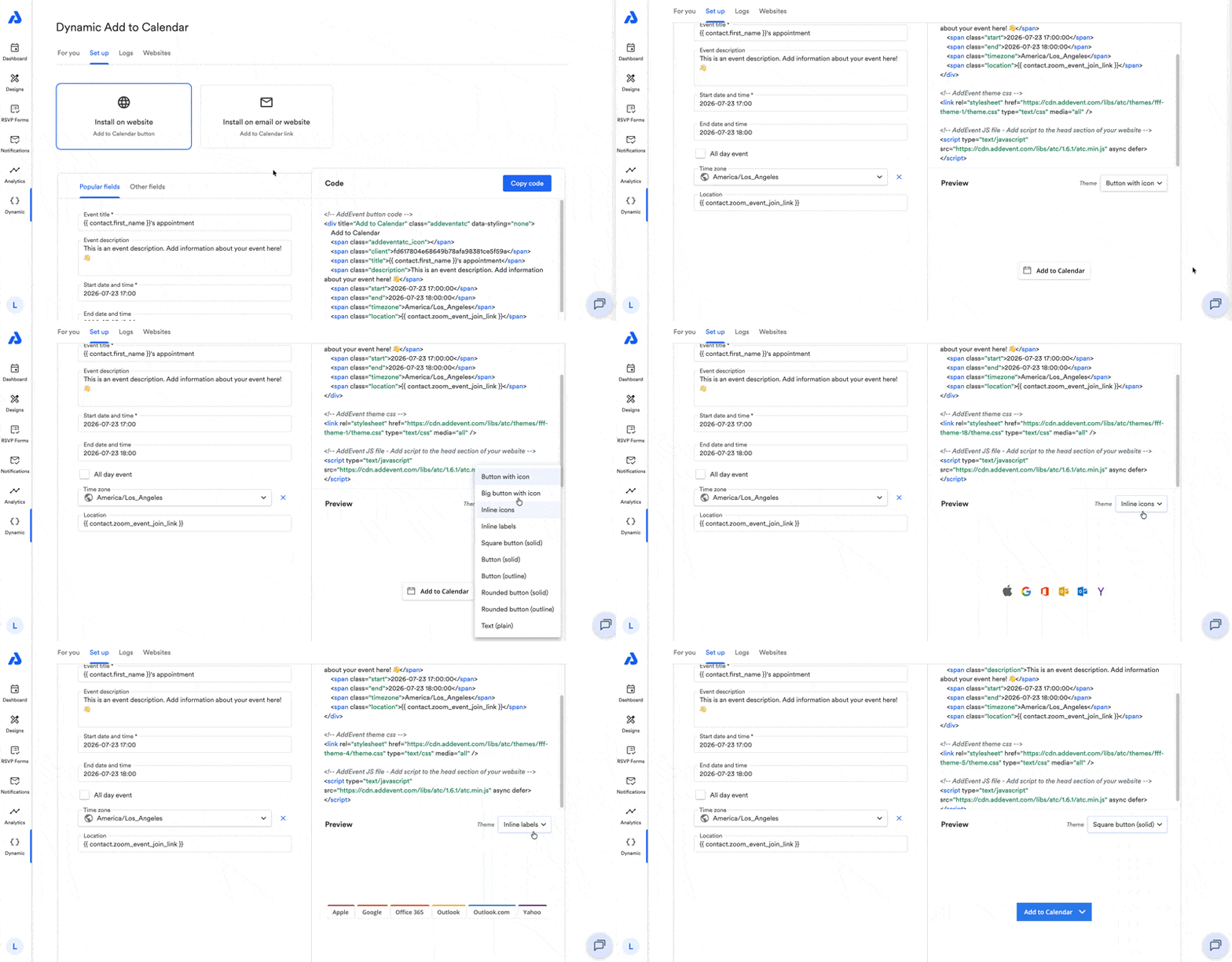
Fill out the desired fields below and include any necessary data merge tags. You can also preview the button and theme, if desired.
-
Copy the code and paste it into your website.
Field types
- Event title (required)
- Event description
- Start date and time (required)
- End date and time
- All day event
- Time zone
- Location
- Organizer
- Organizer email
- Recurring event
- Free/Busy
- Calendar push notification
- Reference
Updated 3 months ago