

General Tab: Embedded Calendar Design Template
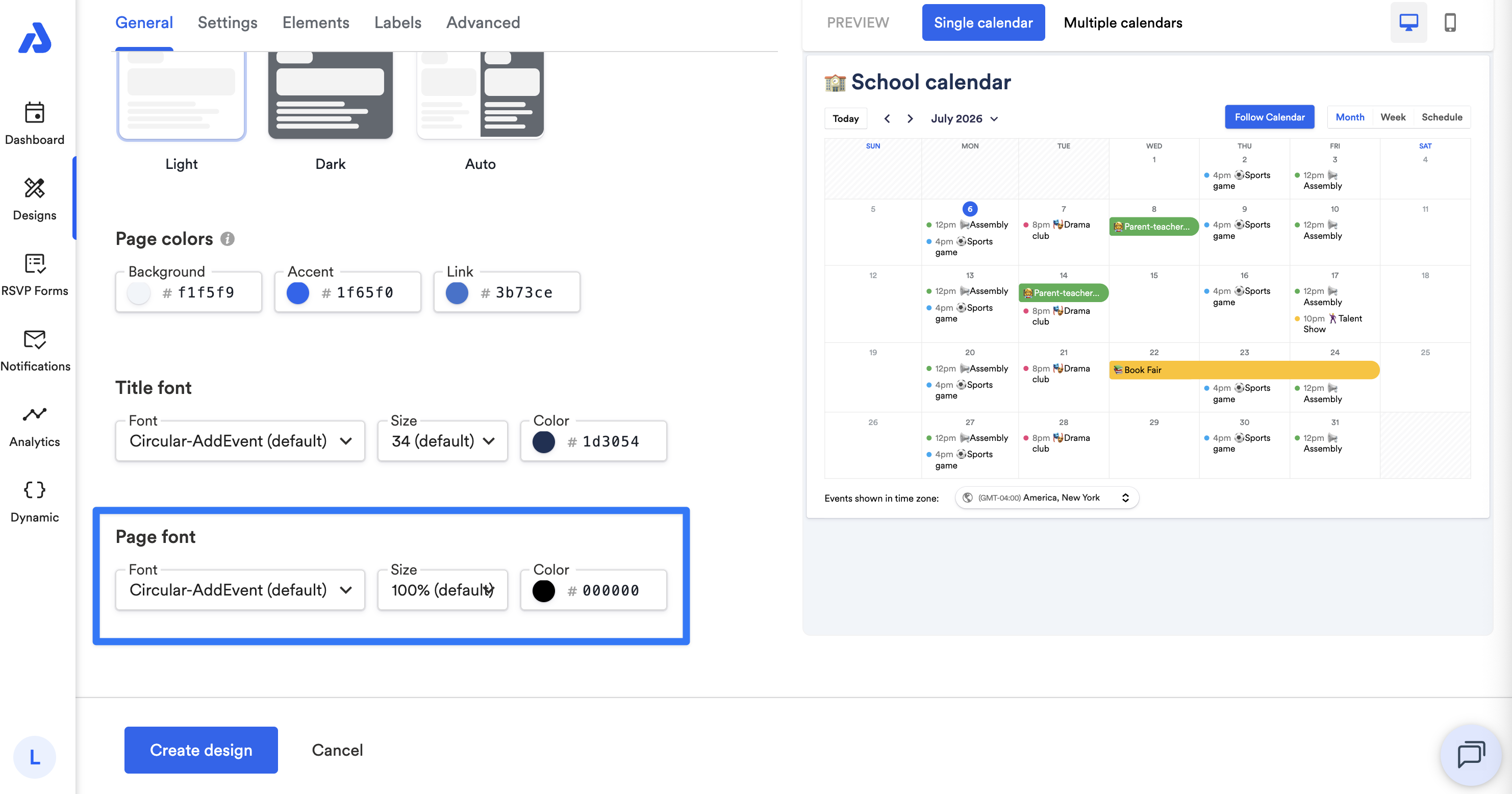
The General tab contains settings for layout, images, and colors. Use these options to align your embedded calendar with your organization’s branding.
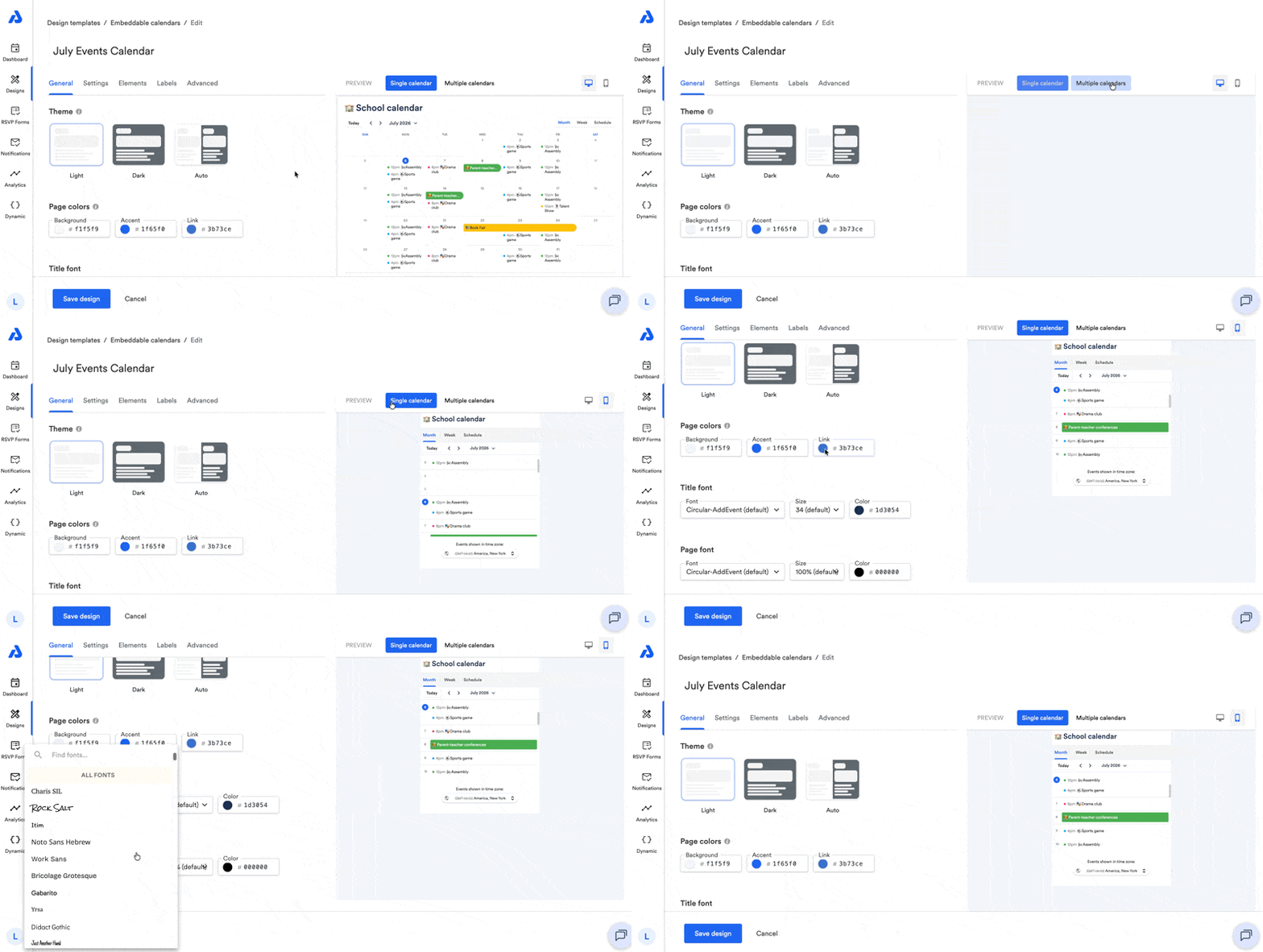
General Settings
Below are available settings within the General tab of the embeddable calendar design.
Theme
You can select a color theme for your embedded calendar:
-
Light (default)
-
Dark
-
Auto – automatically switches between Light and Dark based on the viewer’s device settings.
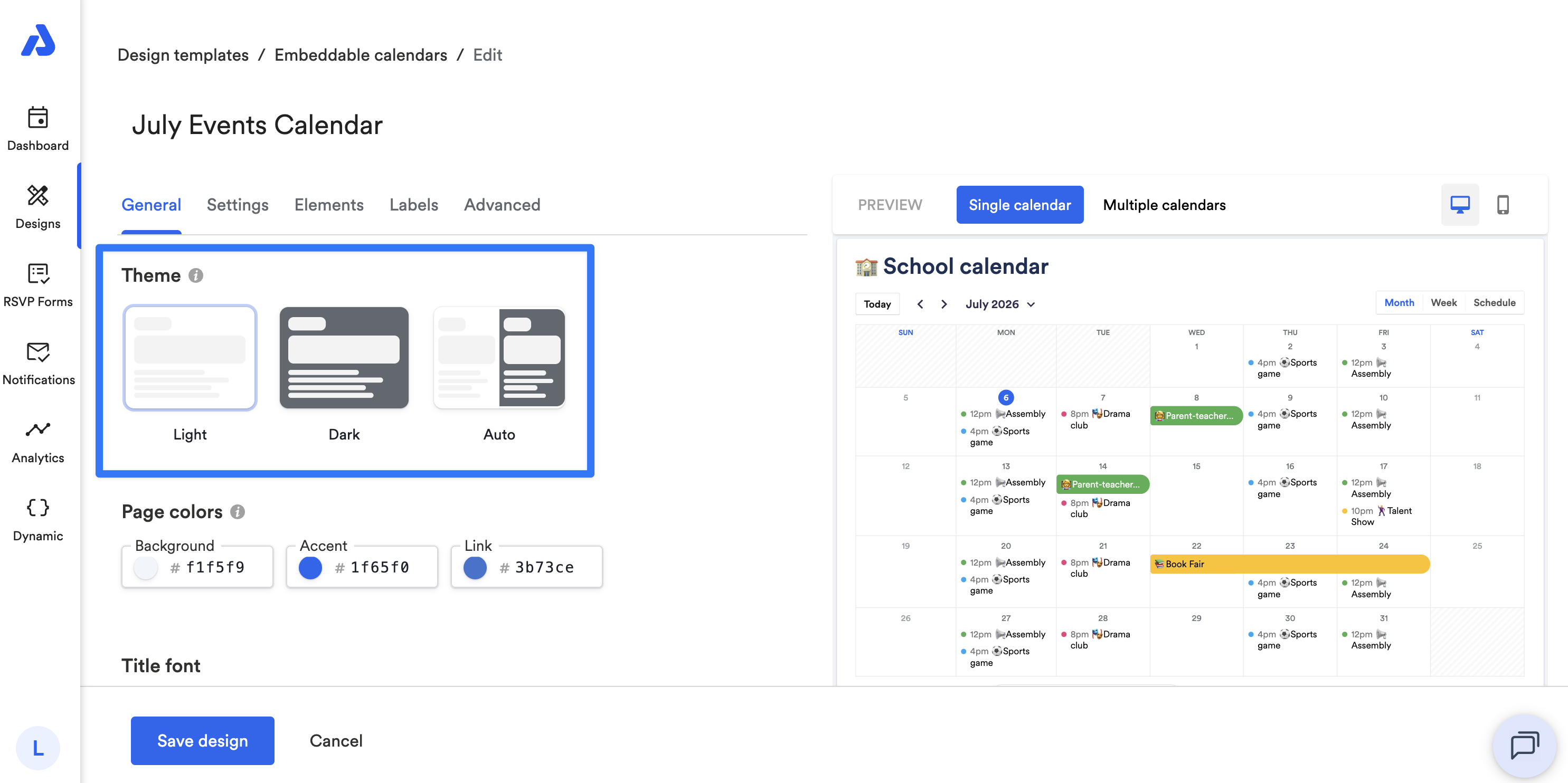
Note: When Dark mode is set for the Theme, custom colors will not be applied.
Page Colors
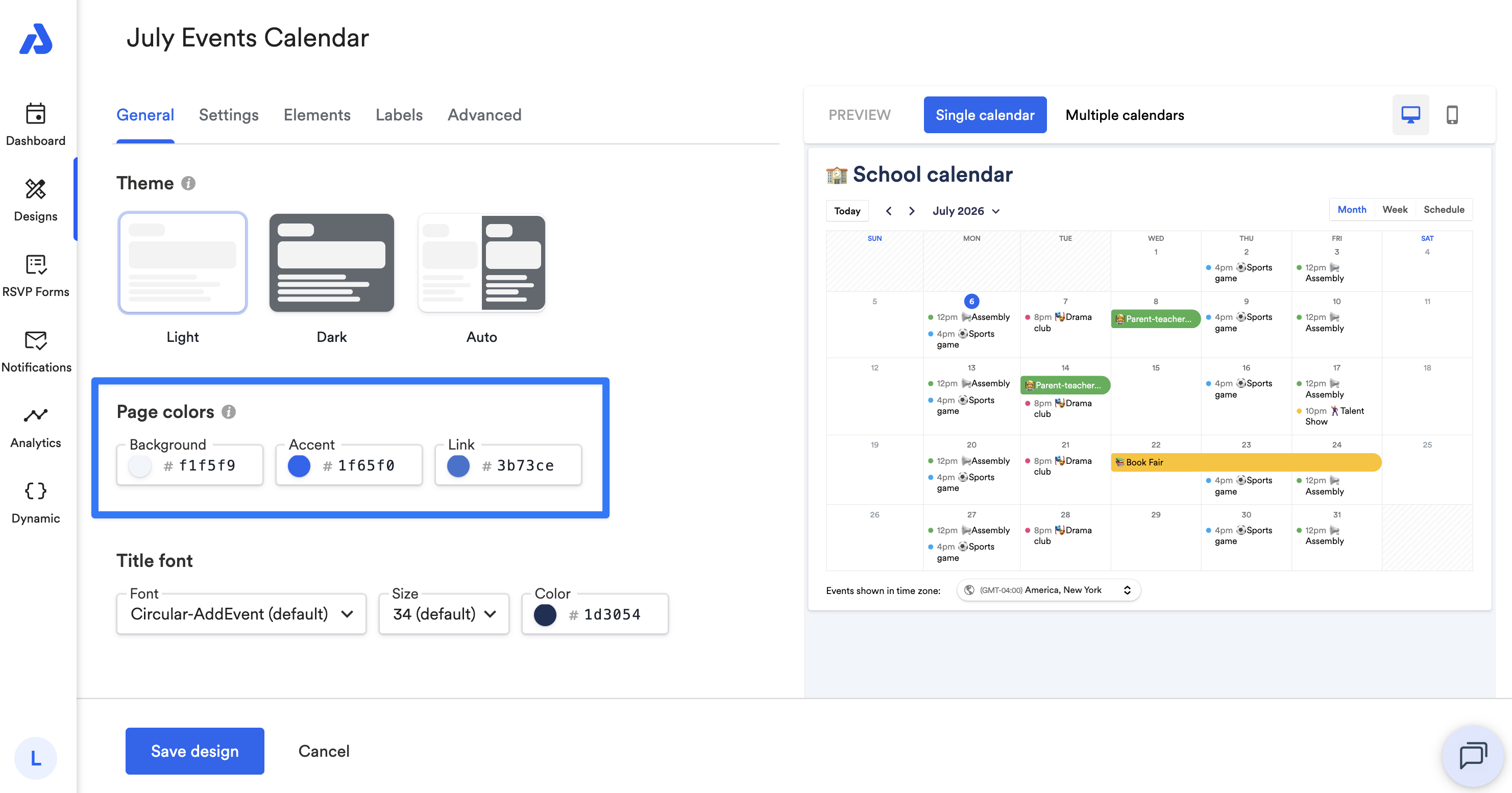
You can customize colors for:
-
Background
-
Accent – highlights current date, "RSVP now" button in event details, and any selected options
-
Links
You can use the color picker or enter a hex code.
Title Font
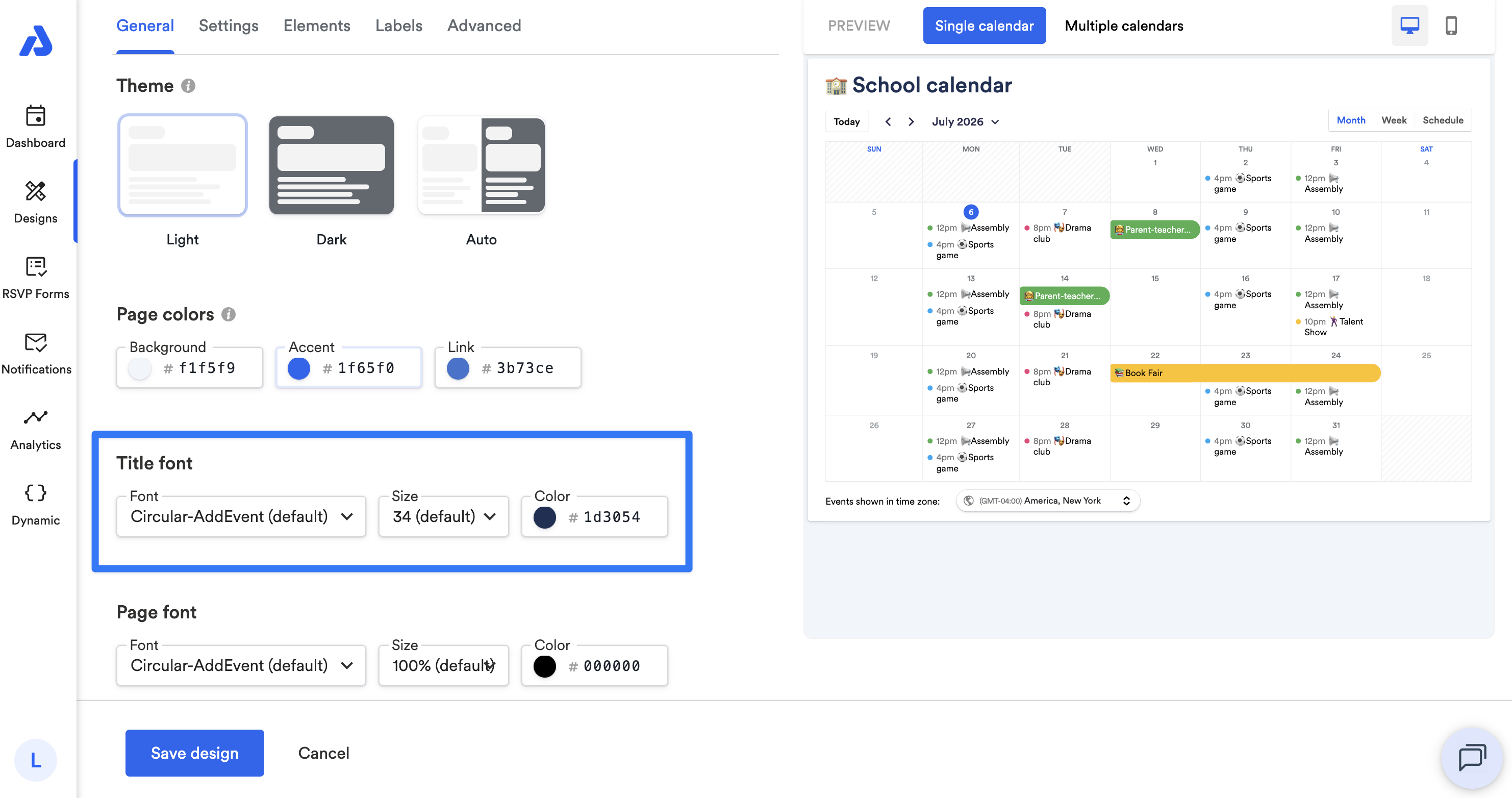
You can adjust the font, size, and color of the calendar's title.
- Default font: Circular-AddEvent
- Default size: 34
- Default color: #1d3054
Page Font
You can adjust the font, size, and color of the page's text.
- Default font: Circular-AddEvent
- Default size: 100%
- Default color: #000000
Updated 4 months ago