

Delete an RSVP Form in AddEvent
This help doc shares instructions on how to delete an RSVP Form.
How to Delete an RSVP Form
To delete an RSVP Form from your account, follow the below steps:
Deleting a RSVP Form entirely or deleting a form field will permanently delete all associated data from your events with this form applied. Please note that this deletion cannot be undone.
-
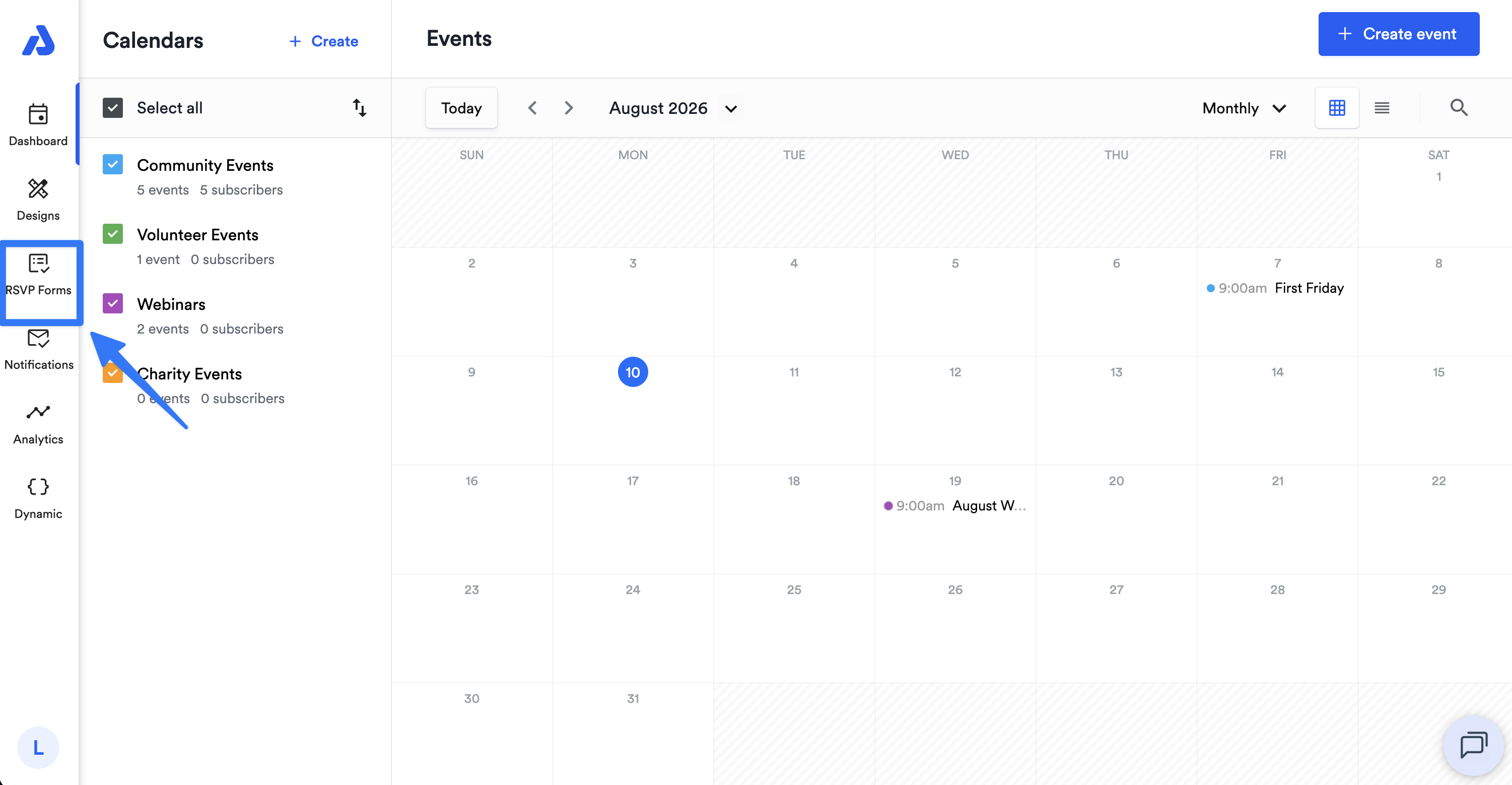
From the Dashboard, select the RSVP Forms tab located on the left-side navigation menu.
-
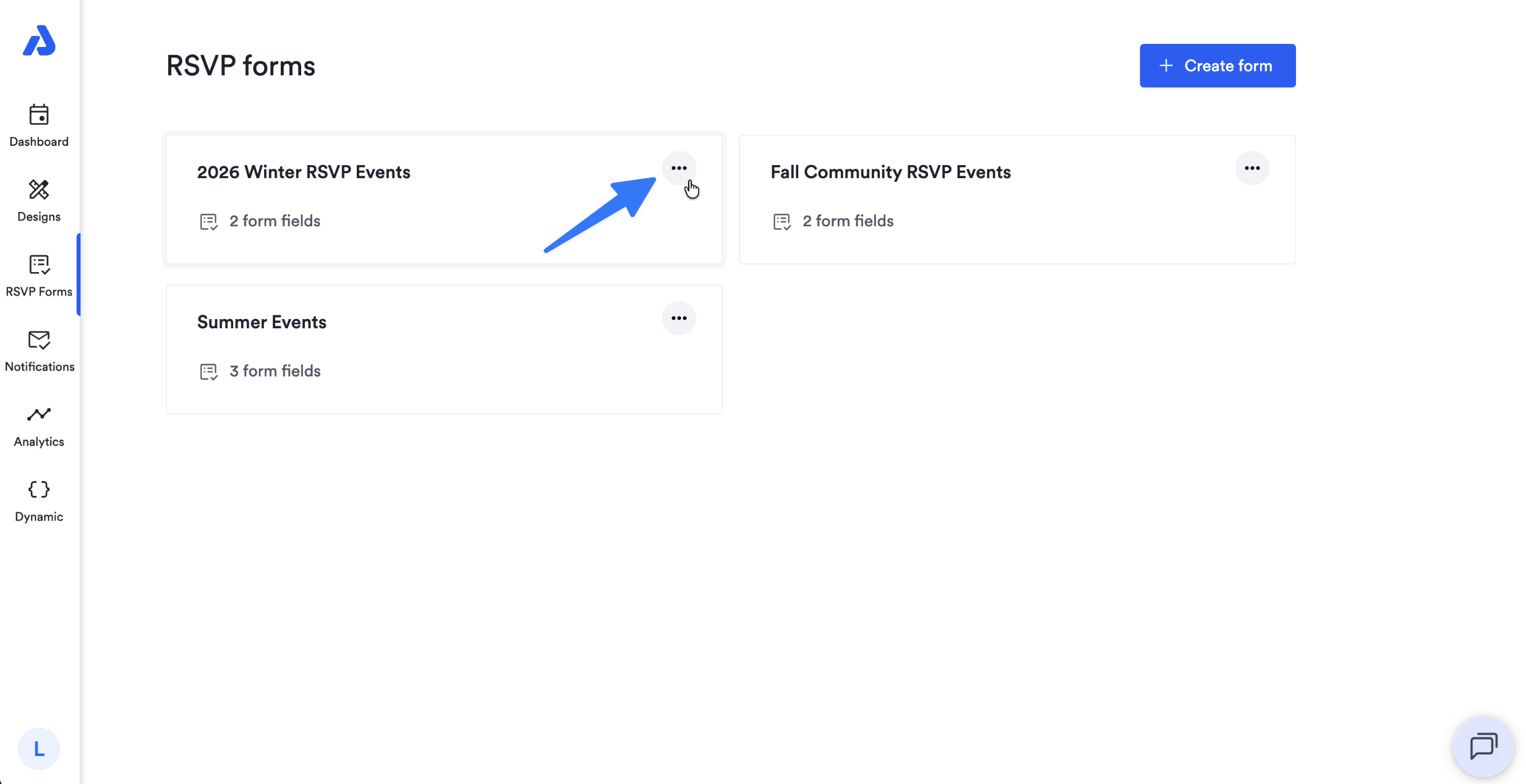
Locate the RSVP Form you want to delete and click the ellipsis icon (...).
-
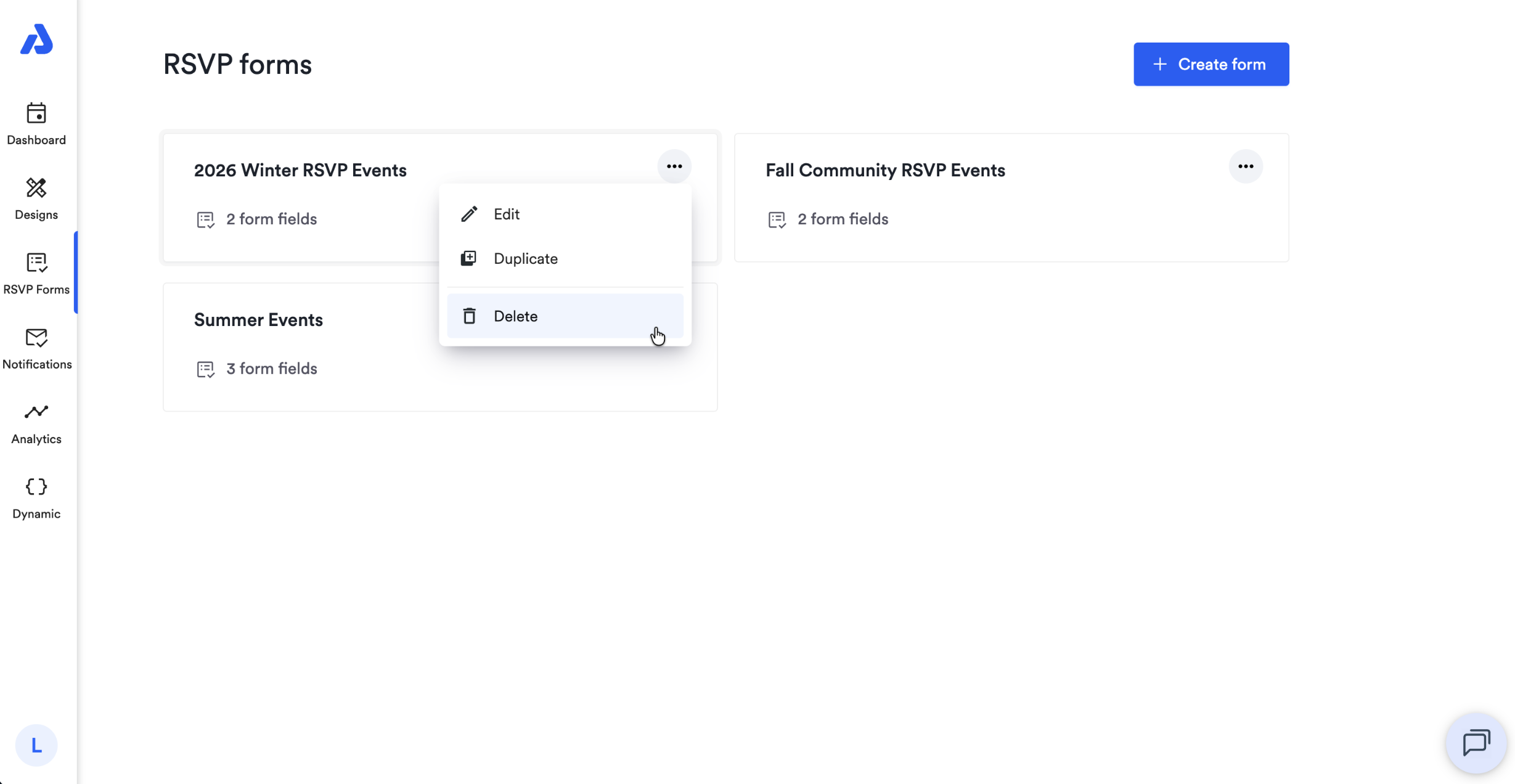
From the dropdown list, click the Delete option.
-
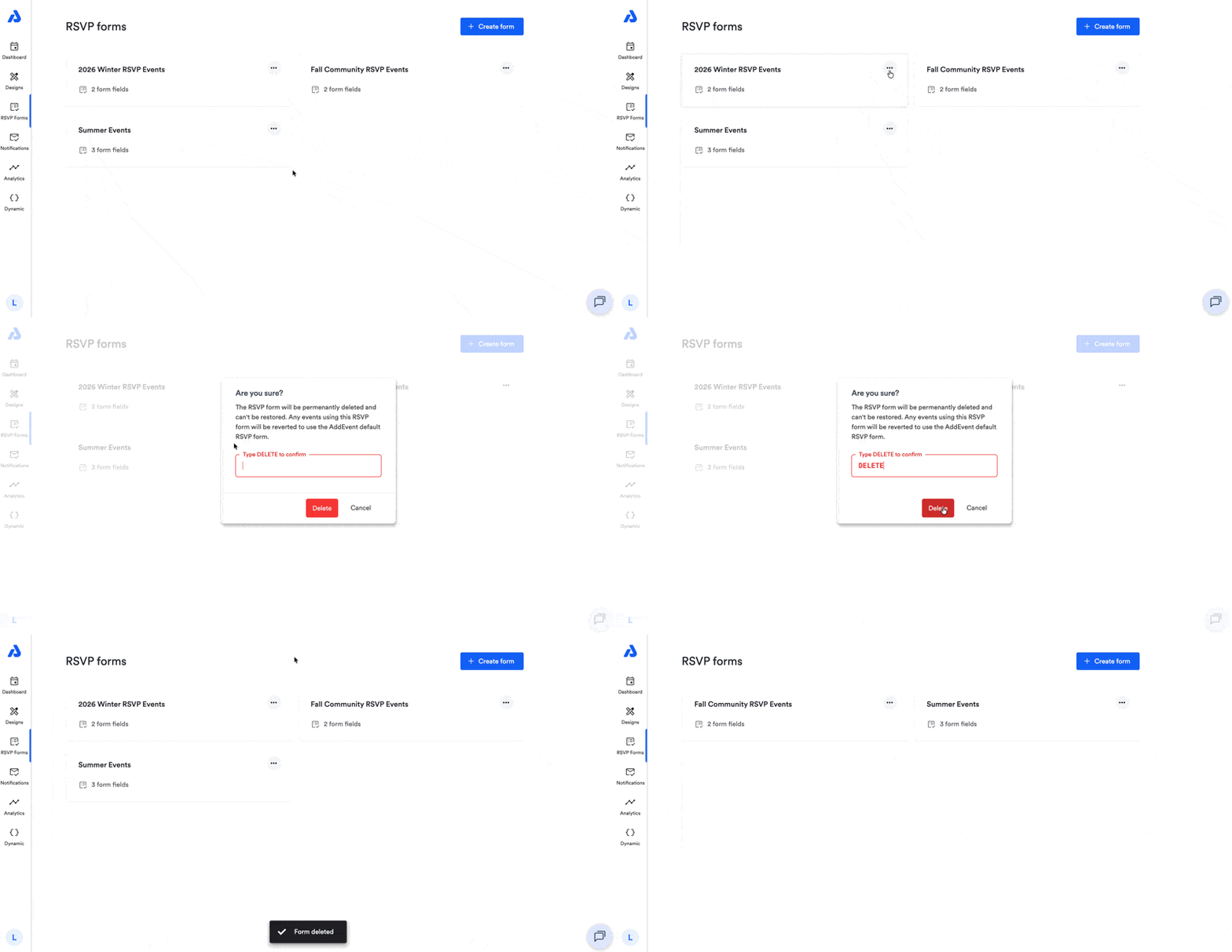
Enter the word "Delete" into the field to confirm your deletion, and then click the Delete button.
Updated 2 months ago
Did this page help you?