

AddEvent User Invite Troubleshooting
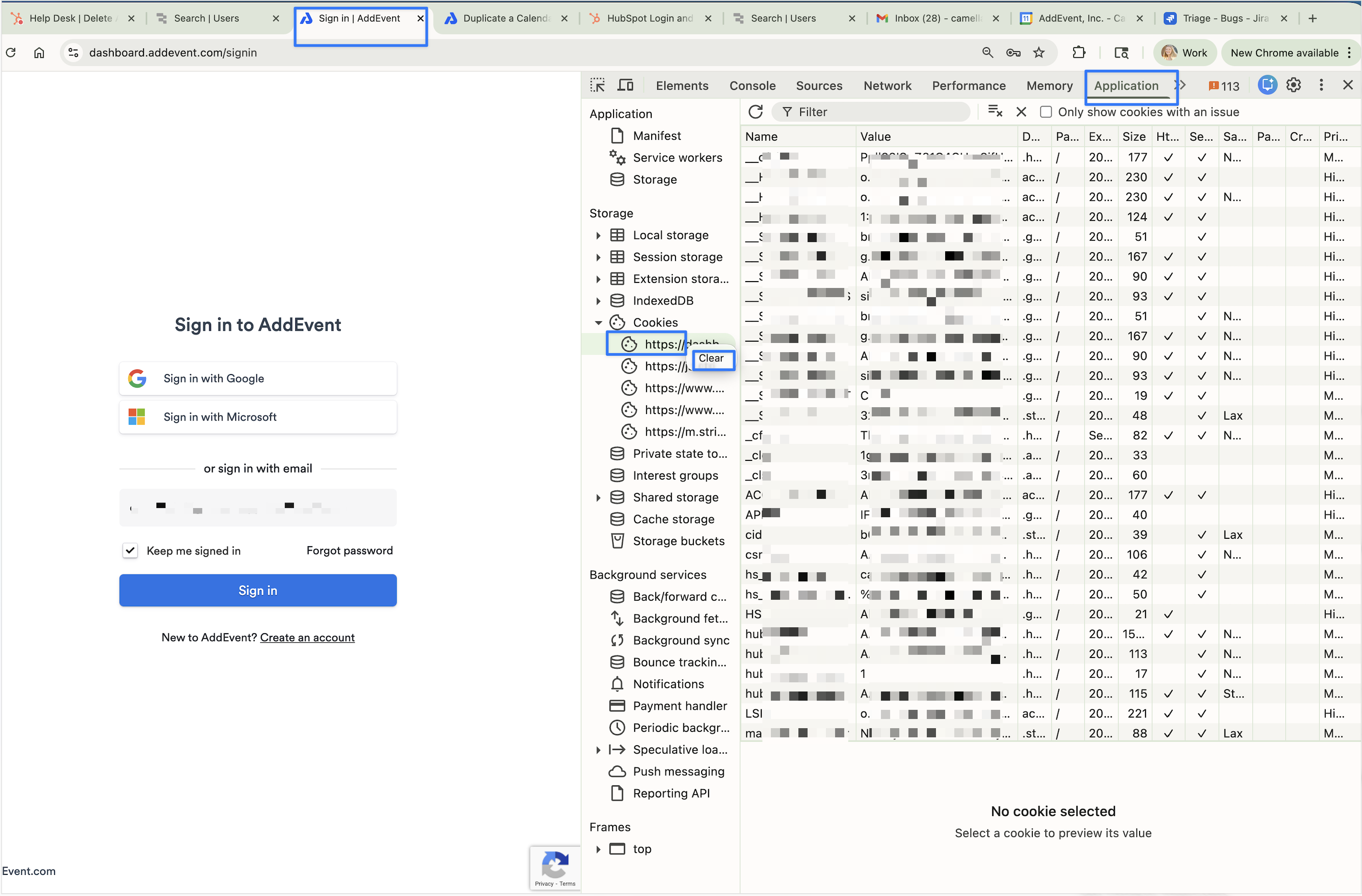
If you are having trouble accepting an invitation to join an AddEvent account, please clear your cookies by following steps outlined below.
- Click into the browser tab where you have AddEvent open.
- Click function + f12 on your keyboard.
- Select the Application tab.
- Select Cookies.
- Right click on dashboard.addevent.com, and then click Clear.
- Proceed back to your AddEvent user invite and click the invite link.
Updated 3 months ago
Did this page help you?