

Edit an RSVP Form in AddEvent
This help doc shares how you can edit your existing RSVP Forms.
Open an RSVP Form for Editing
To edit an existing RSVP Form, follow the below steps:
-
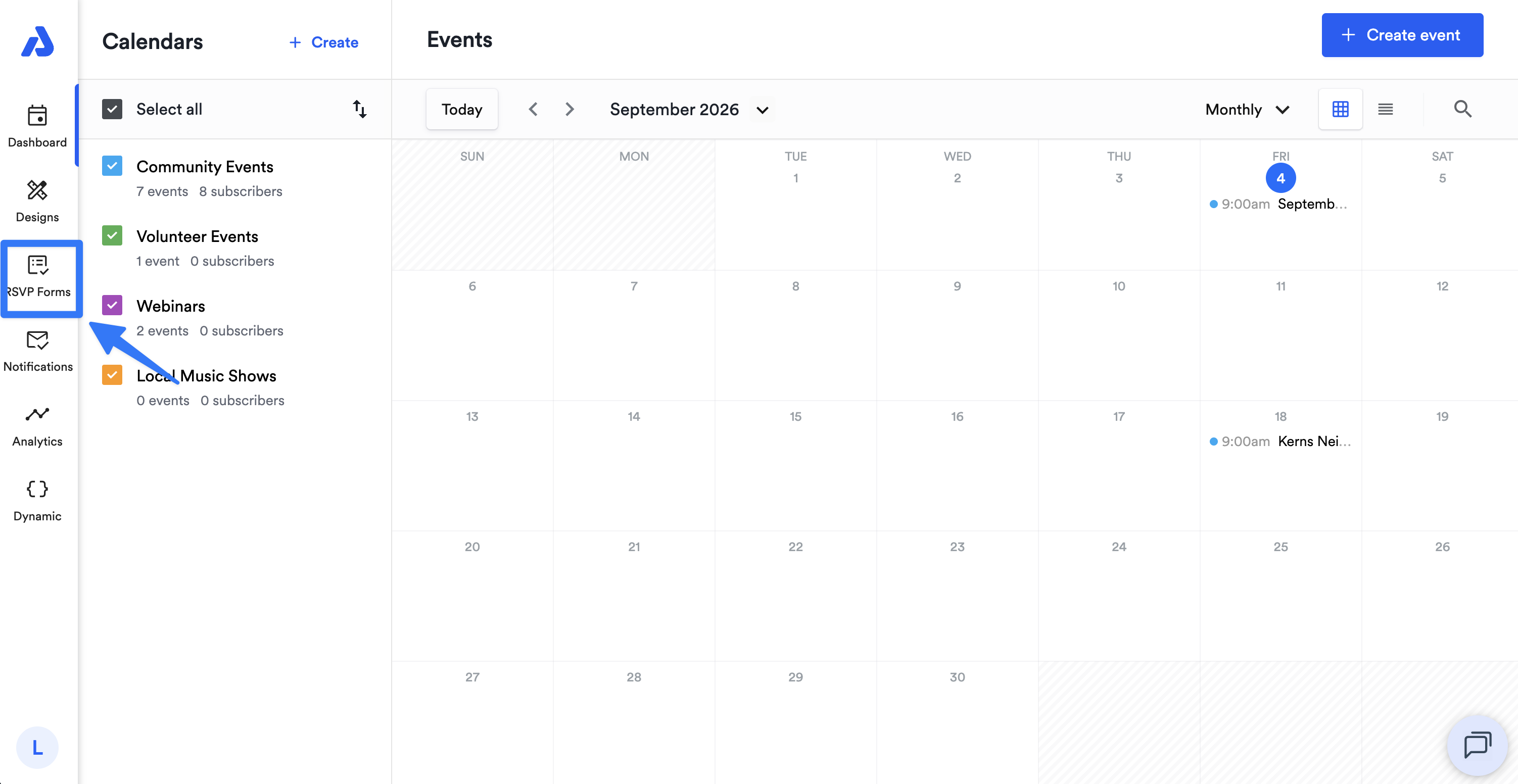
From the Dashboard, select the RSVP forms tab located on the left-side navigation menu.
-
Click the ellipsis icon (...) located on the top-right corner of the RSVP form you would like to edit.
-
From the dropdown, select the Edit option.
-
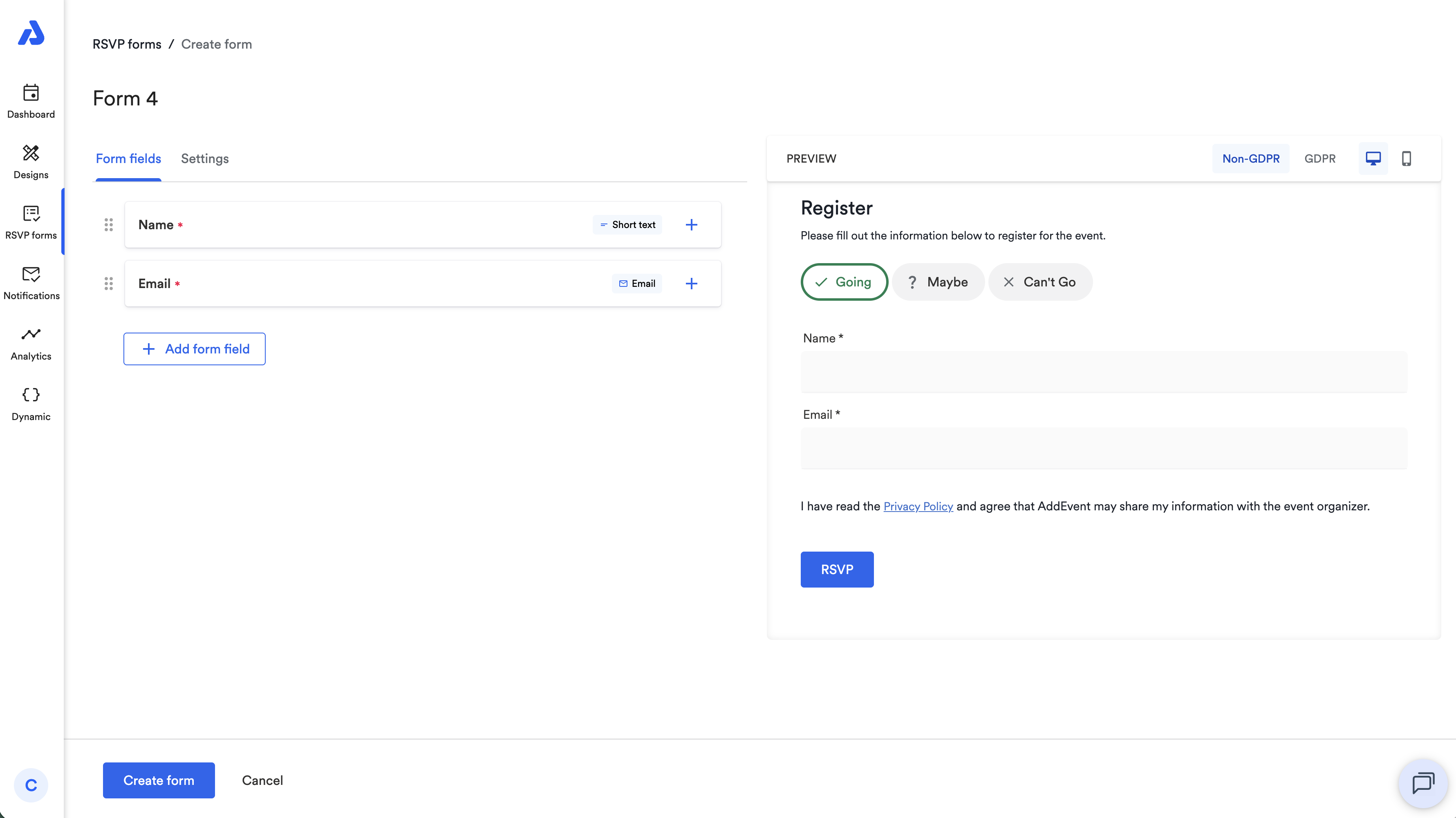
You will be directed the Edit page of your RSVP Form where you can edit/add form fields and customize your RSVP Form's settings.
Add or Edit RSVP Form Fields
-
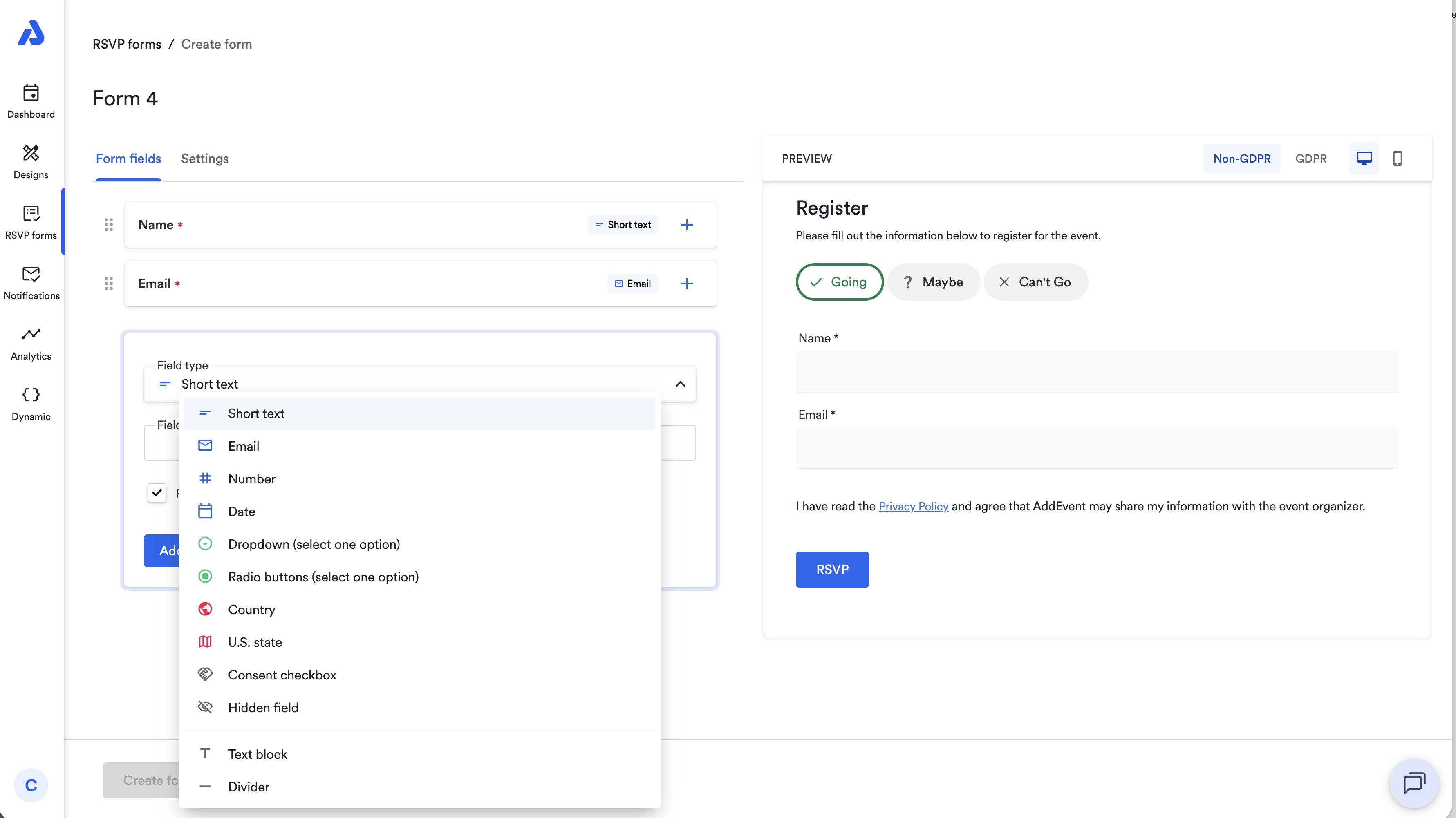
Click +Add form field and select the field type drop down to see the available form fields. Select the form field you want included on your RSVP form
-
Enter the Field text and options (if using the dropdown or radio buttons form field) and click Add form field. You'll see the form field in Preview on the right.
Edit RSVP Form Settings
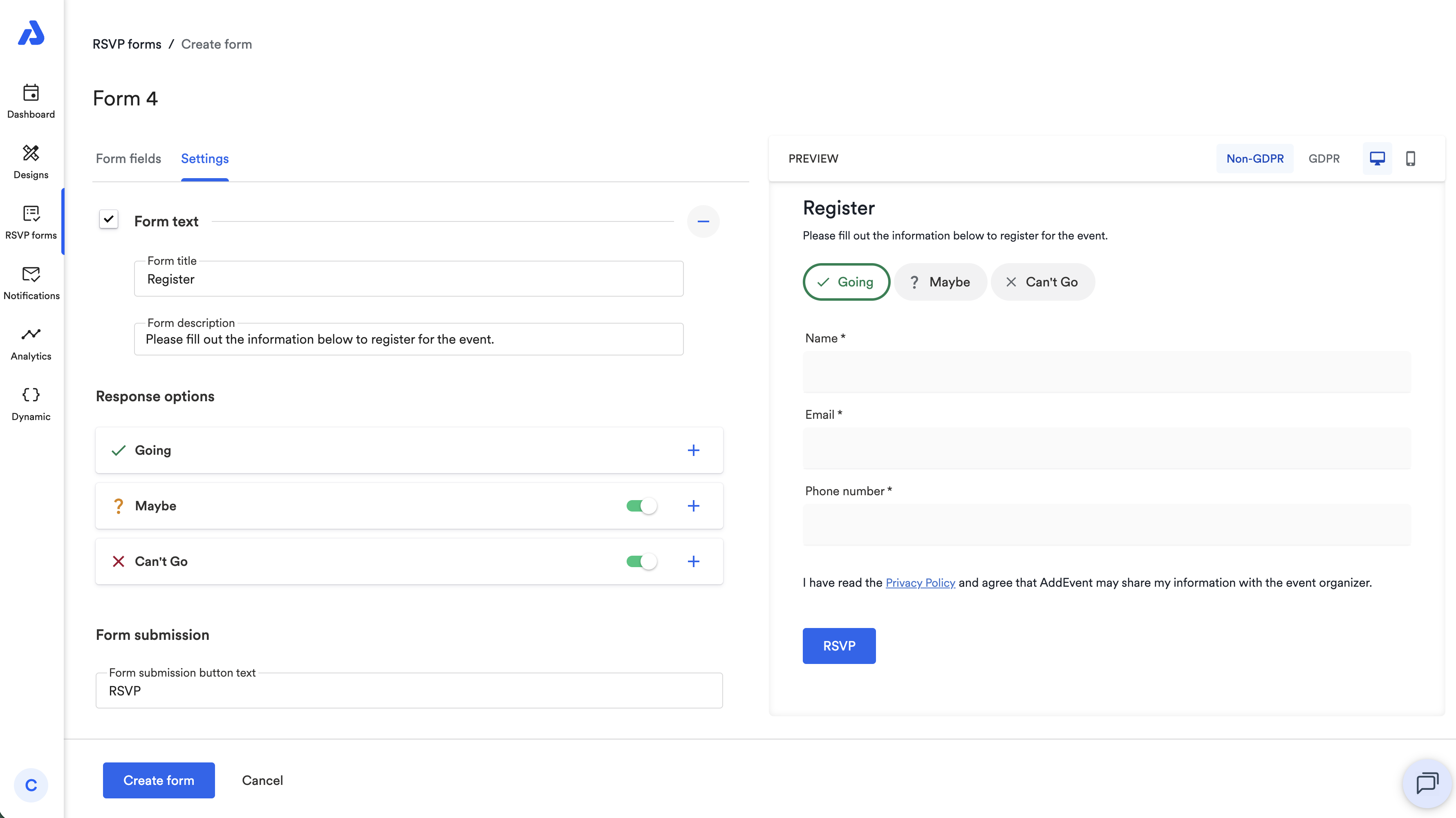
On this page you can edit:
- Form text: form title and form description
- Response options: Going, Maybe, Can't Go
- Form submission: the button text
To learn more about RSVP Form settings, see our help doc here.
Updated 8 days ago