

How can I find my account's API token?
Looking for your API token? Follow the steps below.
API access is a feature included in our paid plans: Plans and Pricing
How to Copy Your API Token
To copy your account's API token, follow the steps below:
-
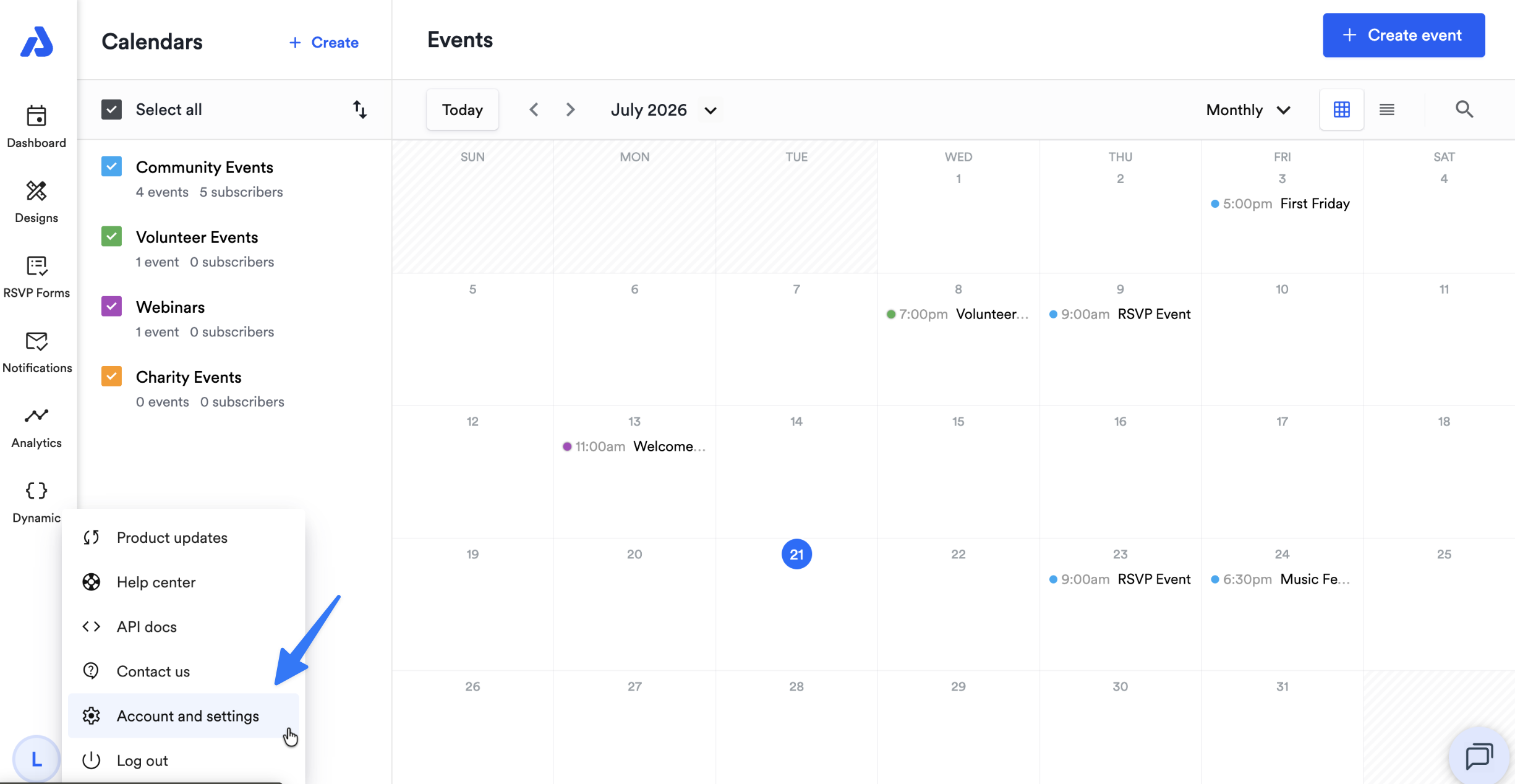
Click the circle profile icon located on the bottom-left of the Dashboard:
-
Select the Account and settings option:
-
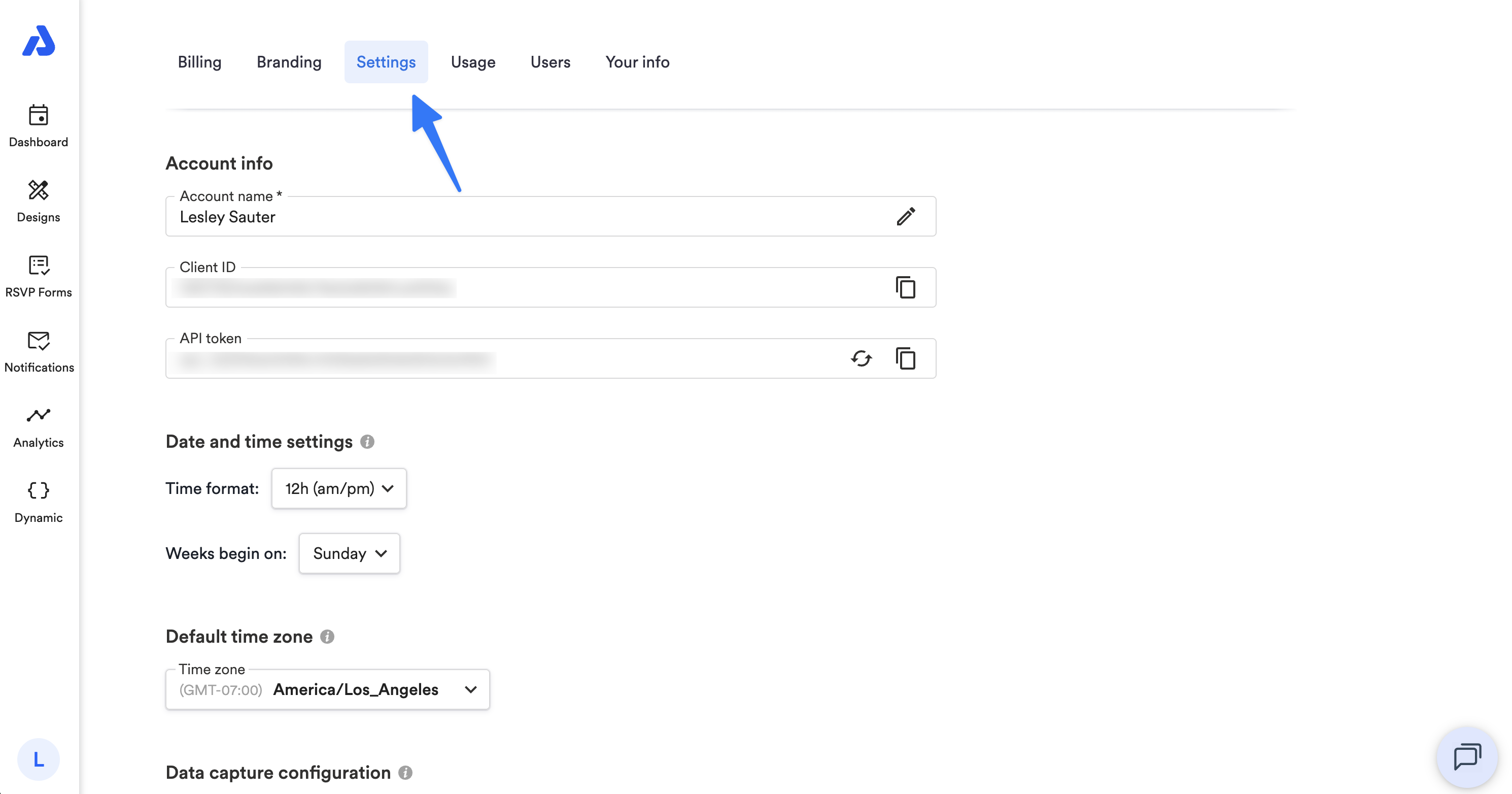
Select the Settings tab.
-
Click the copy icon located to the right of the API token:
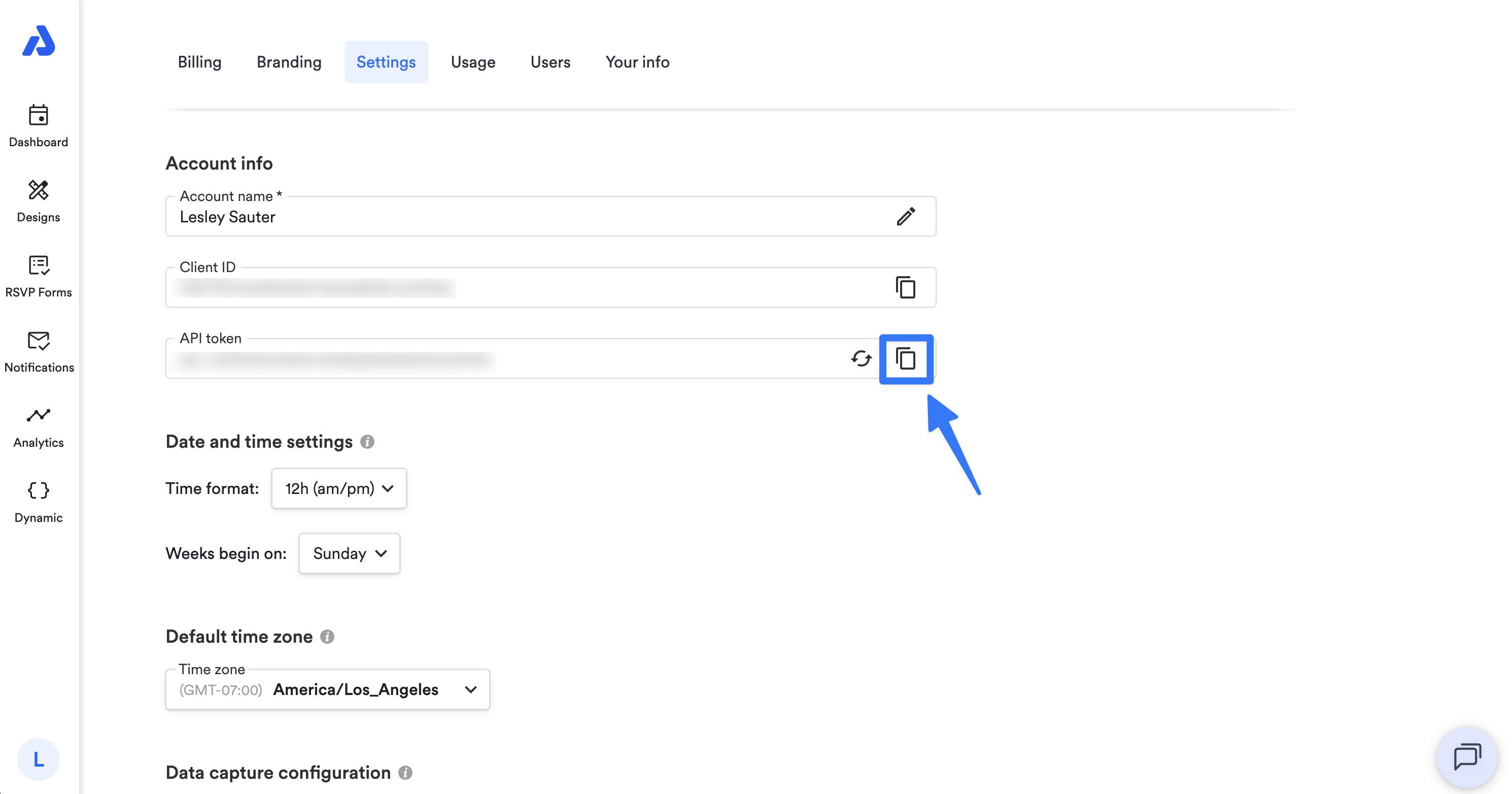
Note: Only Admin users have access to the API token.
Please see the below help docs for more information:
Updated about 1 month ago
Did this page help you?