

Apply an Embeddable Calendar Design Template to an Embeddable Calendar
This help doc share instructions on how to apply an embeddable calendar design template to an embeddable calendar.
To apply a design template to an embeddable calendar, you'll first need to navigate to the Calendar details page.
Apply an Embeddable Calendar Design Template to an Embeddable Calendar
-
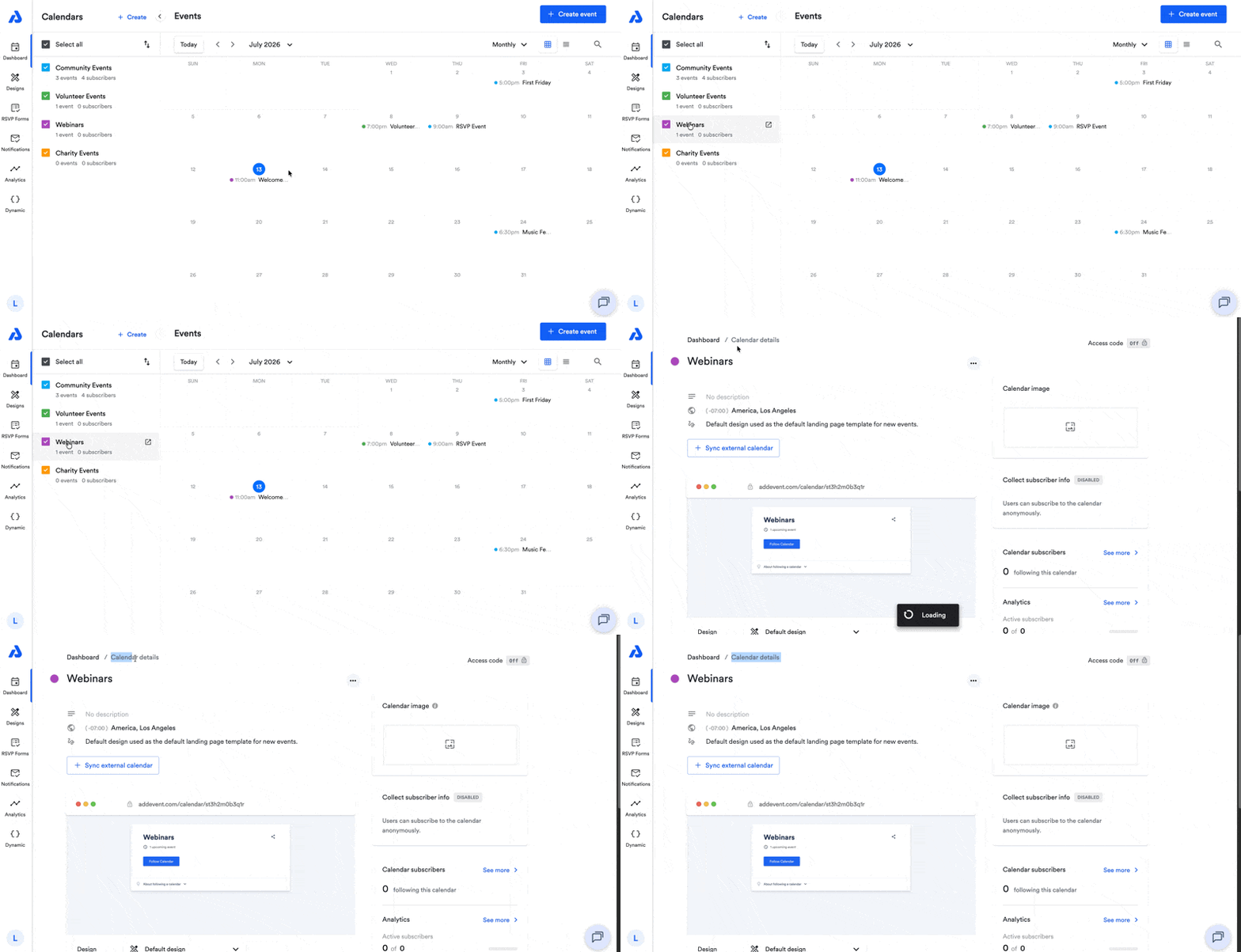
From the Dashboard, click on the calendar's title. You will be directed to the Calendar details page.
-
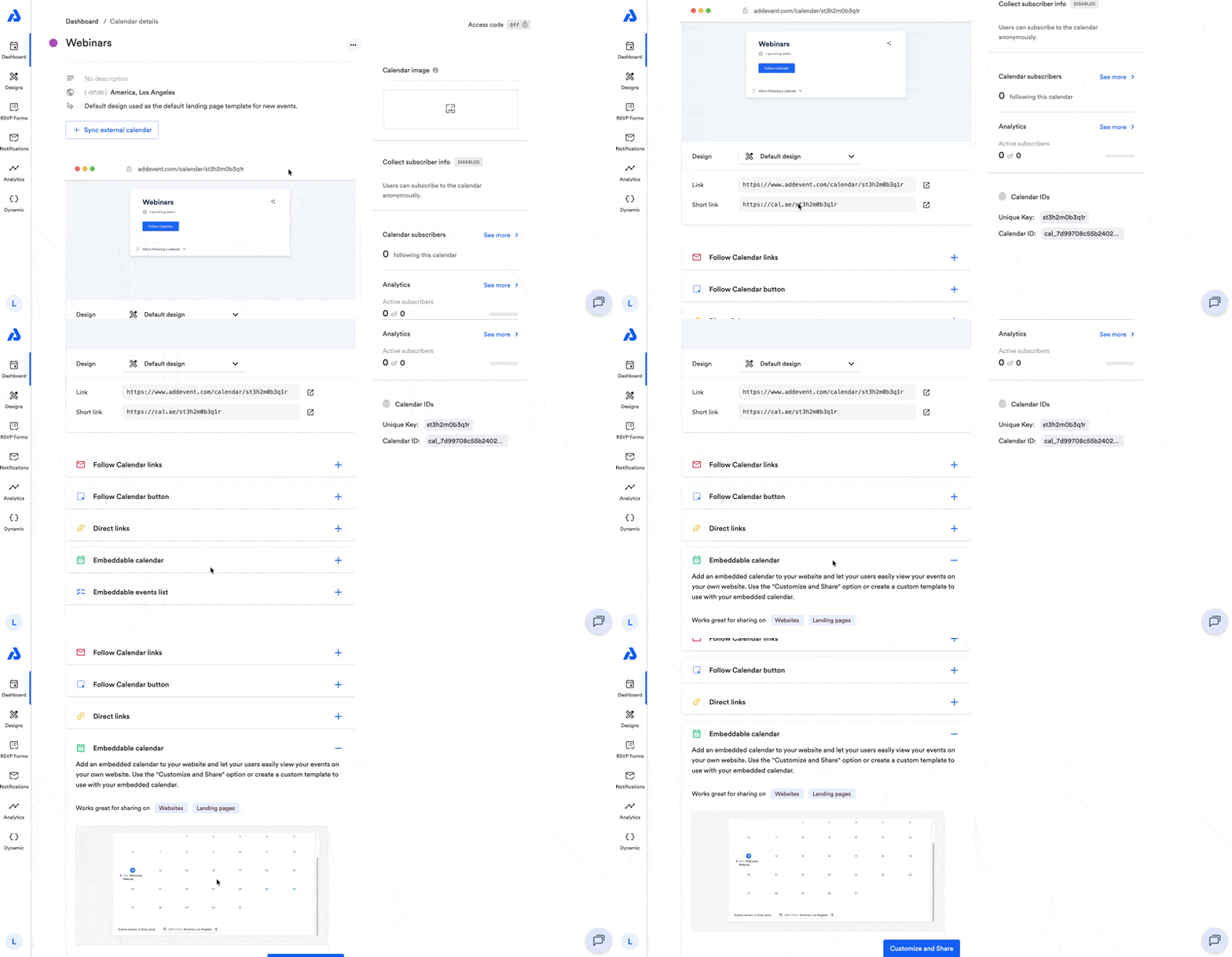
Scroll down to the Embeddable calendar sharing method and click into the area to expand options.
-
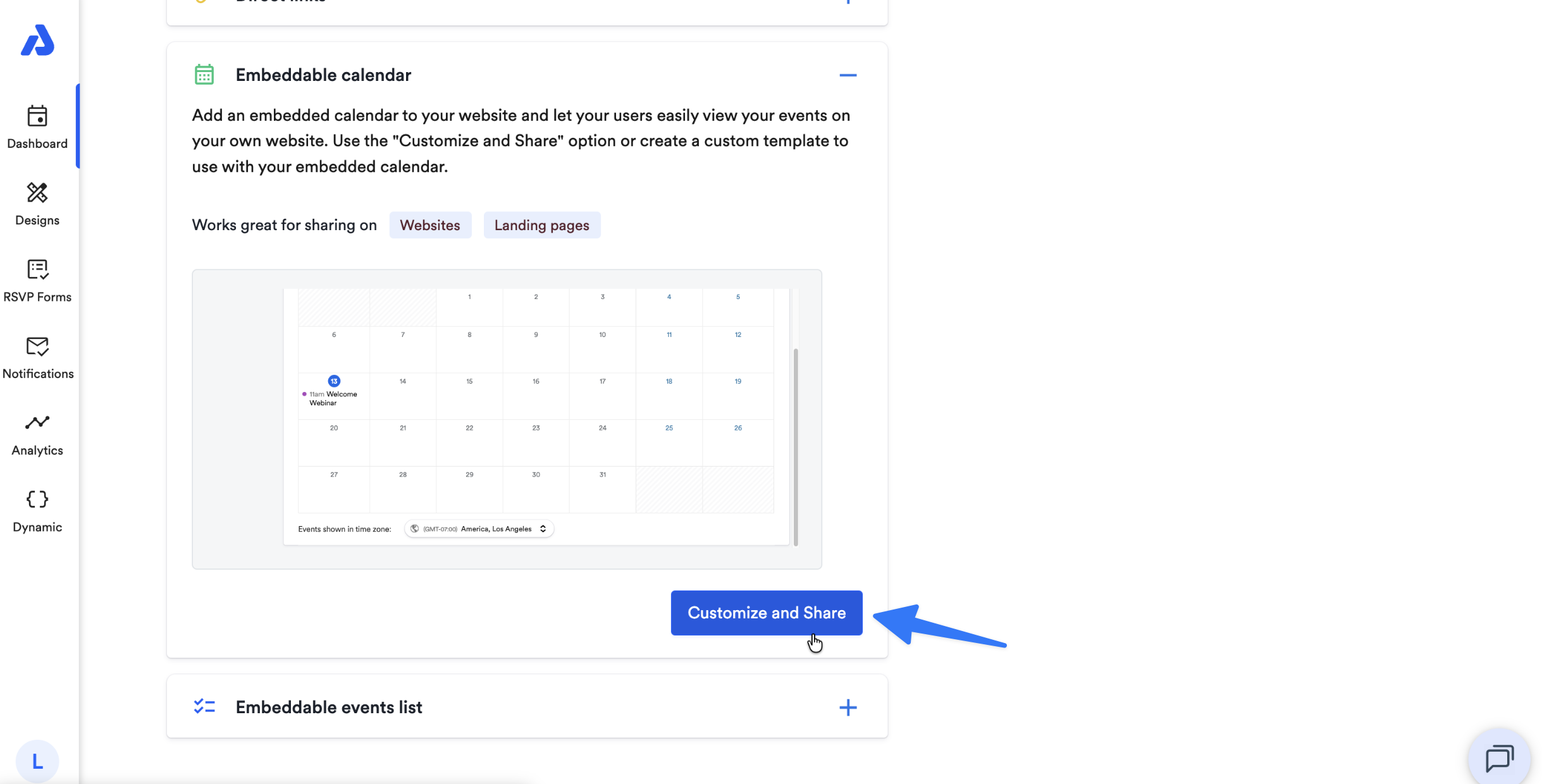
Click the Customize and Share button.
-
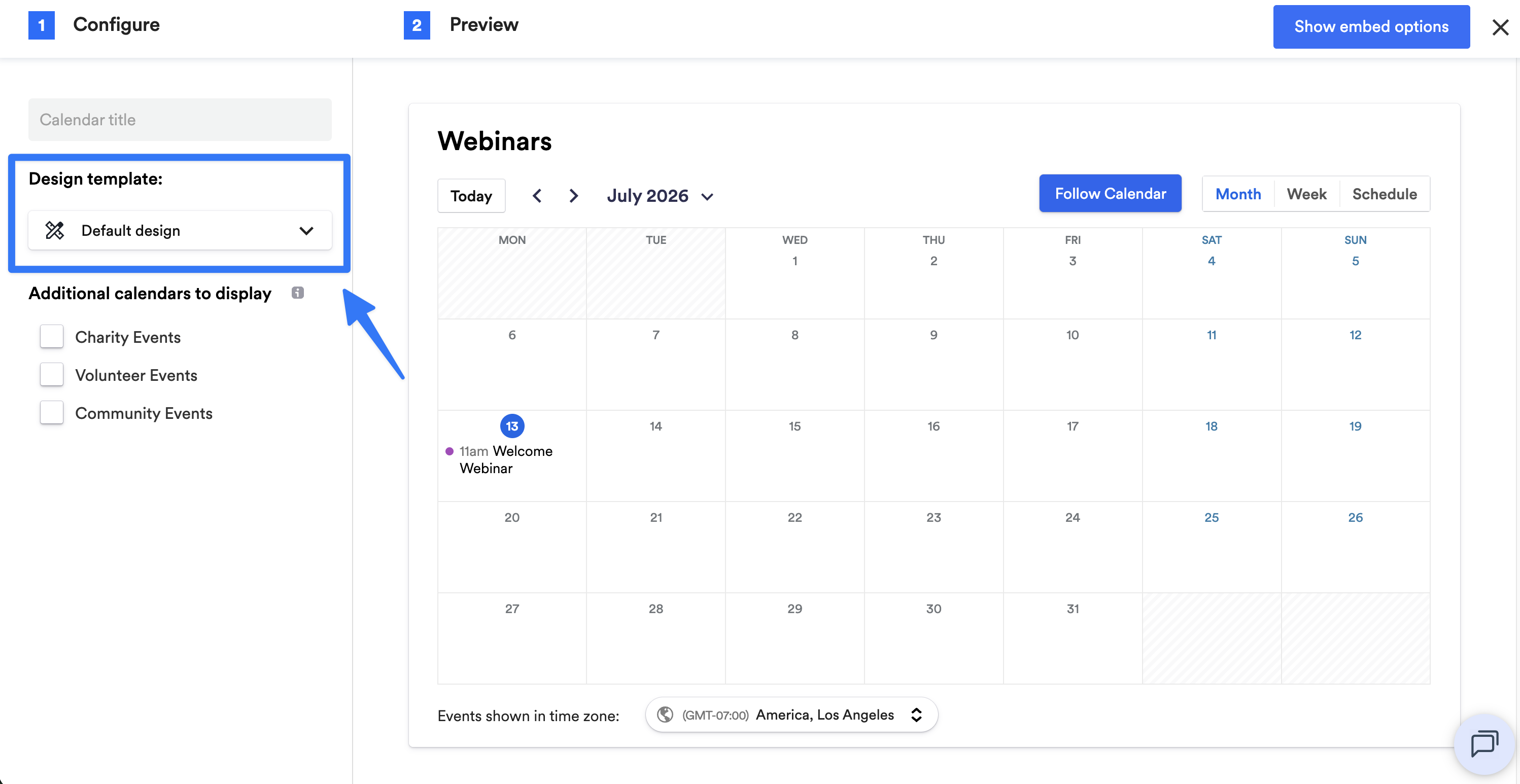
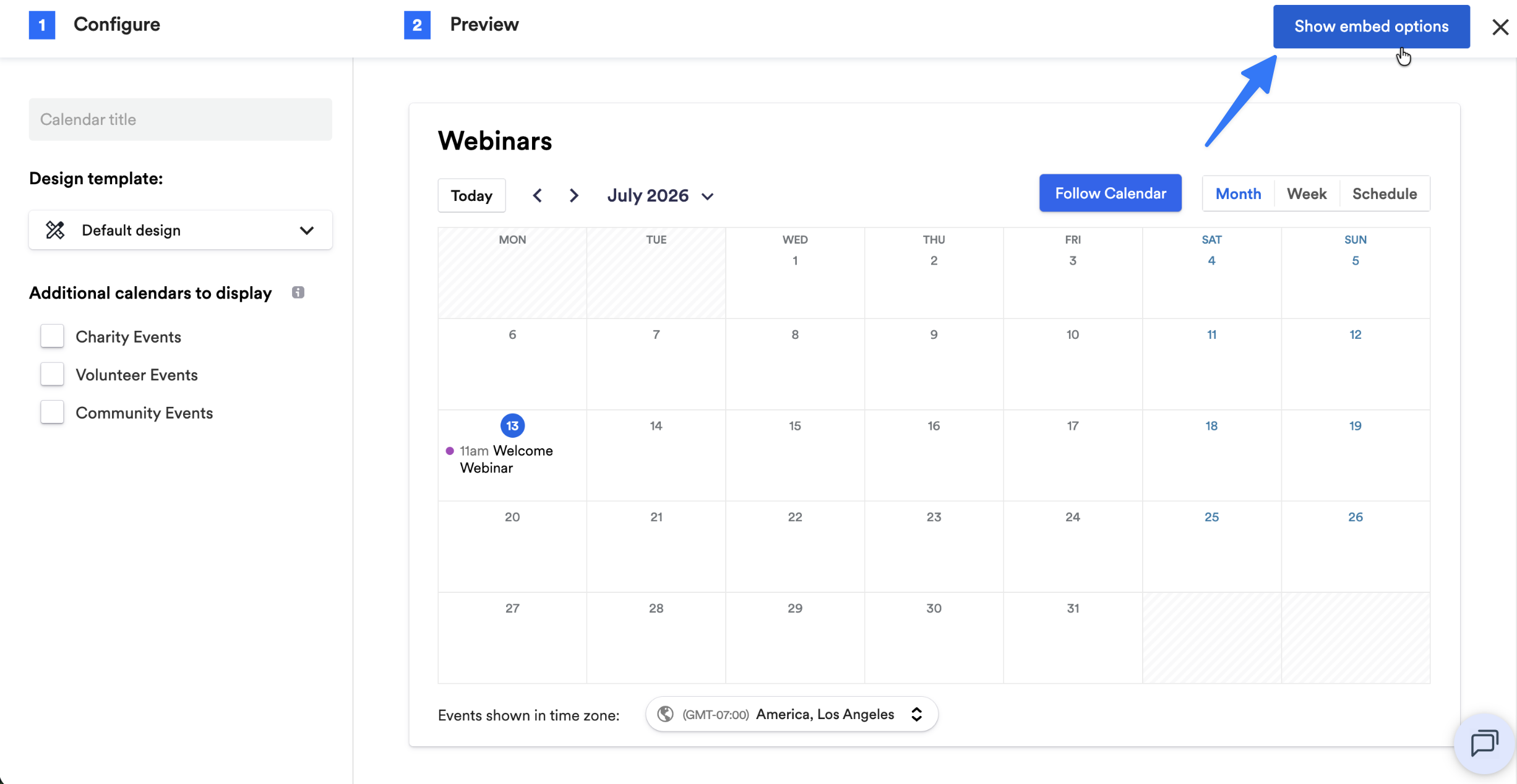
Click the Design template dropdown and select your preferred design template.
-
Click the Show embed options button located on the top-right corner of the page.
-
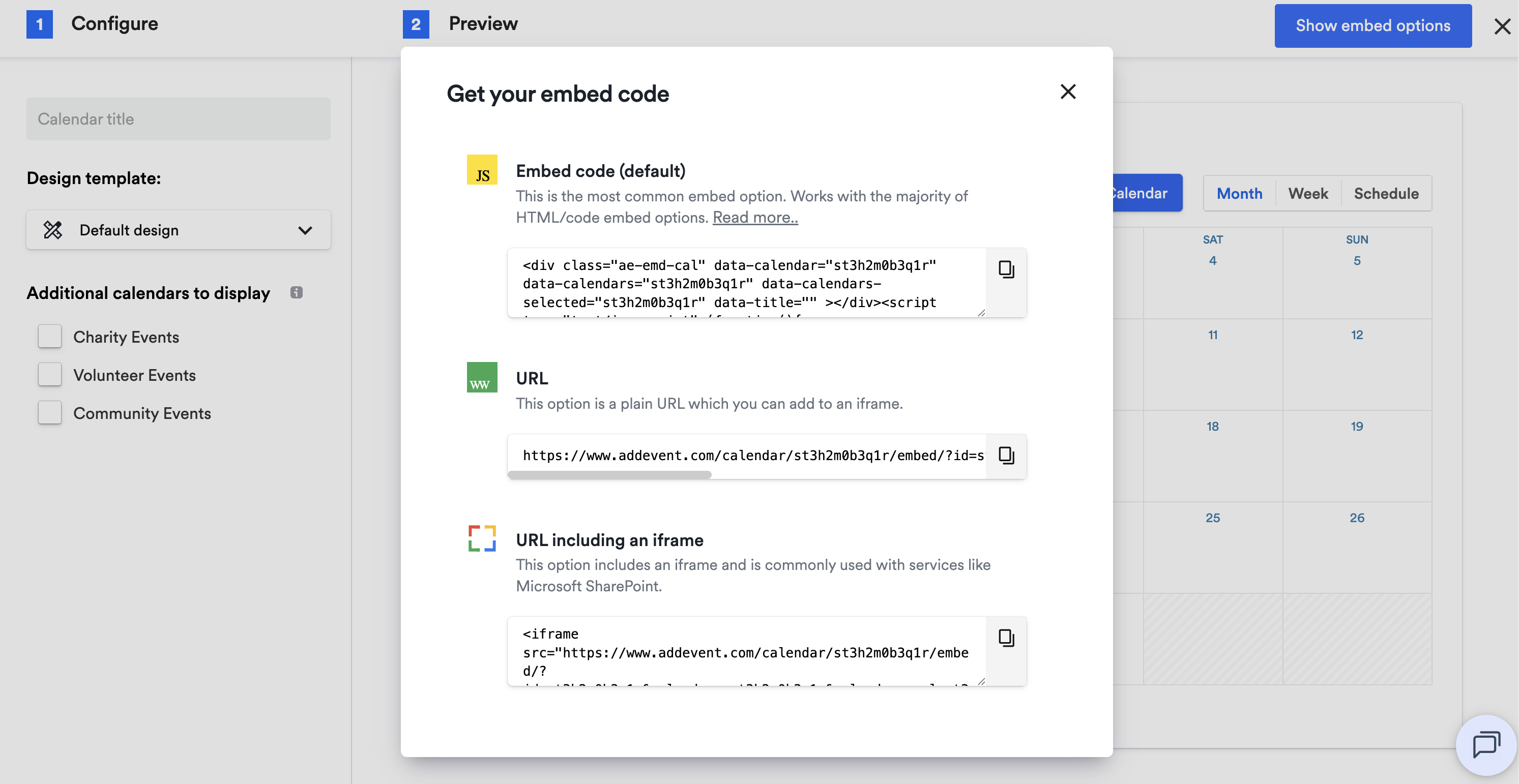
Copy the embed code and apply the embeddable calendar to your webpage.
-
Please note when updating the design template applied to your embeddable calendar, you will need to re-embed the embeddable calendar on your webpage in order to have the design template customizations implemented.
-
To learn how to create an embeddable calendar design template, see our help doc here.
Updated 3 months ago