

Event IDs and Event Unique Keys
Looking for your event's event ID or it's unique key? Follow the steps below.
How to Copy Your Event's Event ID and Unique Key
-
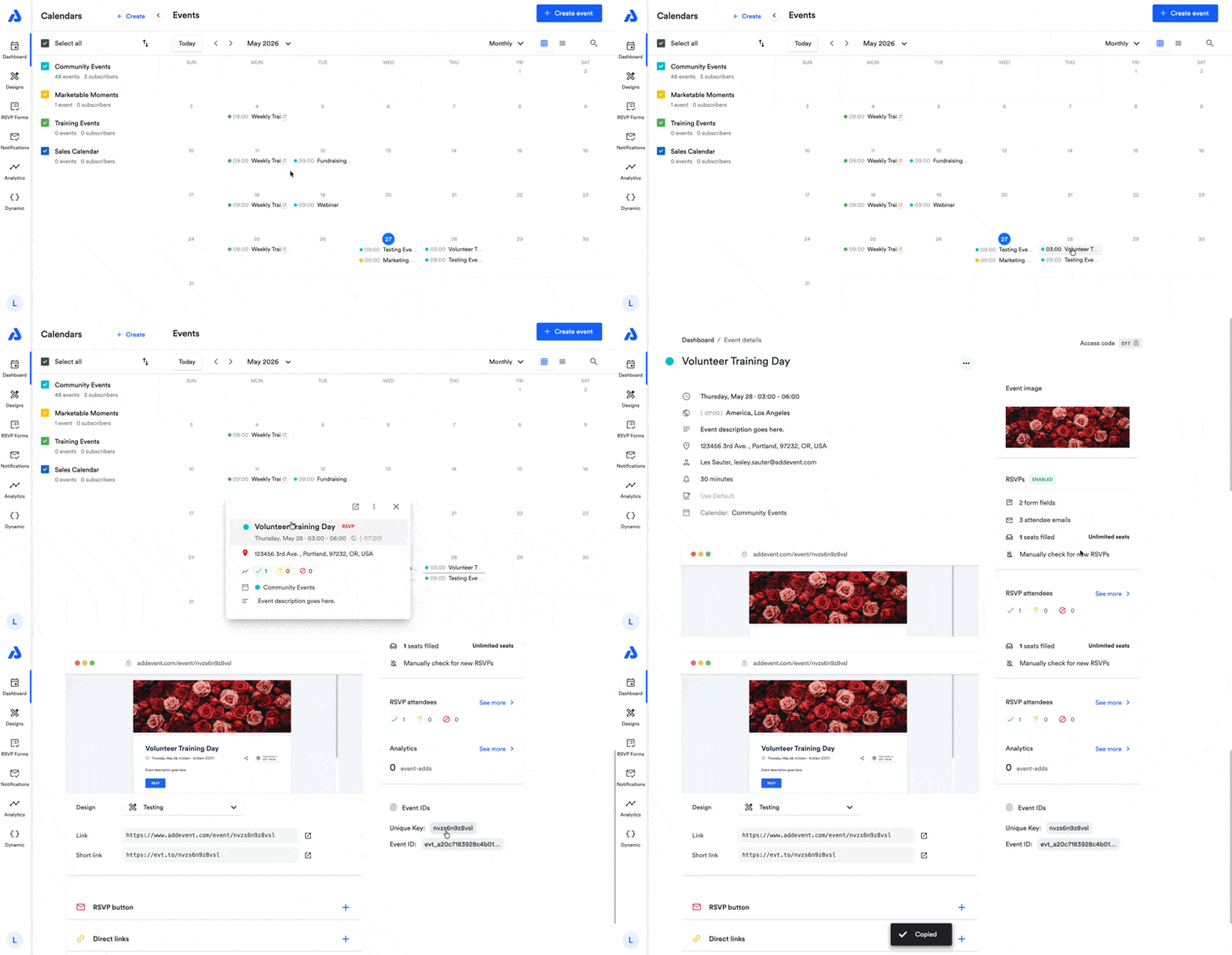
From the Dashboard, click on the event's title to navigate to the Event details page.
-
Scroll down on the Event details page, and find the Event ID and Unique Key located on the right-side of the page under the Analytics section:
-
Click the unique key/event ID and it will automatically be copied to your clipboard.
To retrieve your calendar's calendar ID and/or unique key, please see our help doc here.
Updated 5 months ago
Did this page help you?