

How to Apply a Notification Flow to an RSVP Event
This help doc shares instructions and a tutorial video on how you can apply a Notification Flow to your RSVP event.
How to Apply a Notification Flow
The below instructions assume you have already created a Notification Flow and a RSVP event. To learn about creating each, please see the help docs below:
-
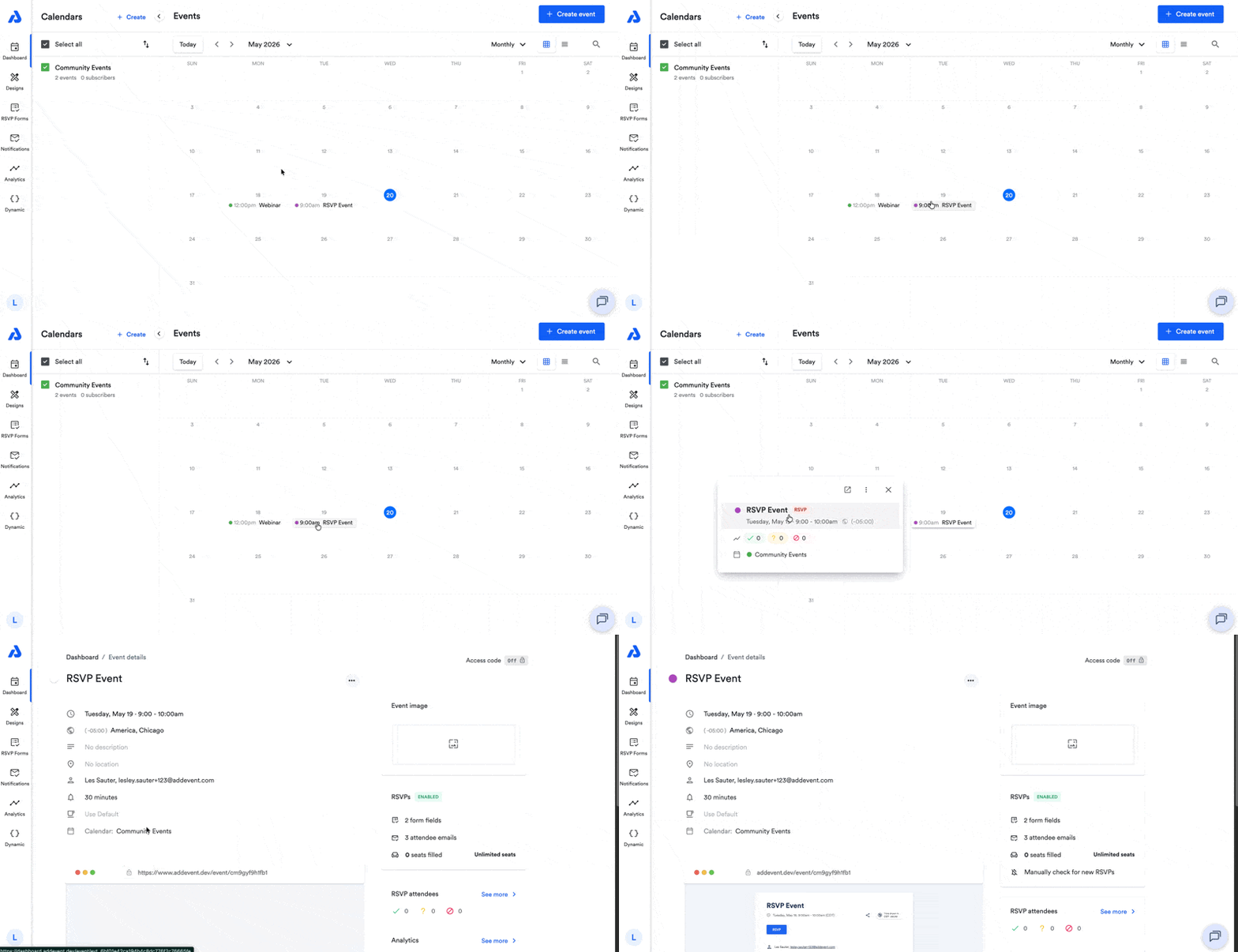
From the Dashboard, click the RSVP event's title to be directed to the Event details page.
-
From the Event details page, click the ellipsis icon located to the right of the event's title.
-
Select Edit from the dropdown.
-
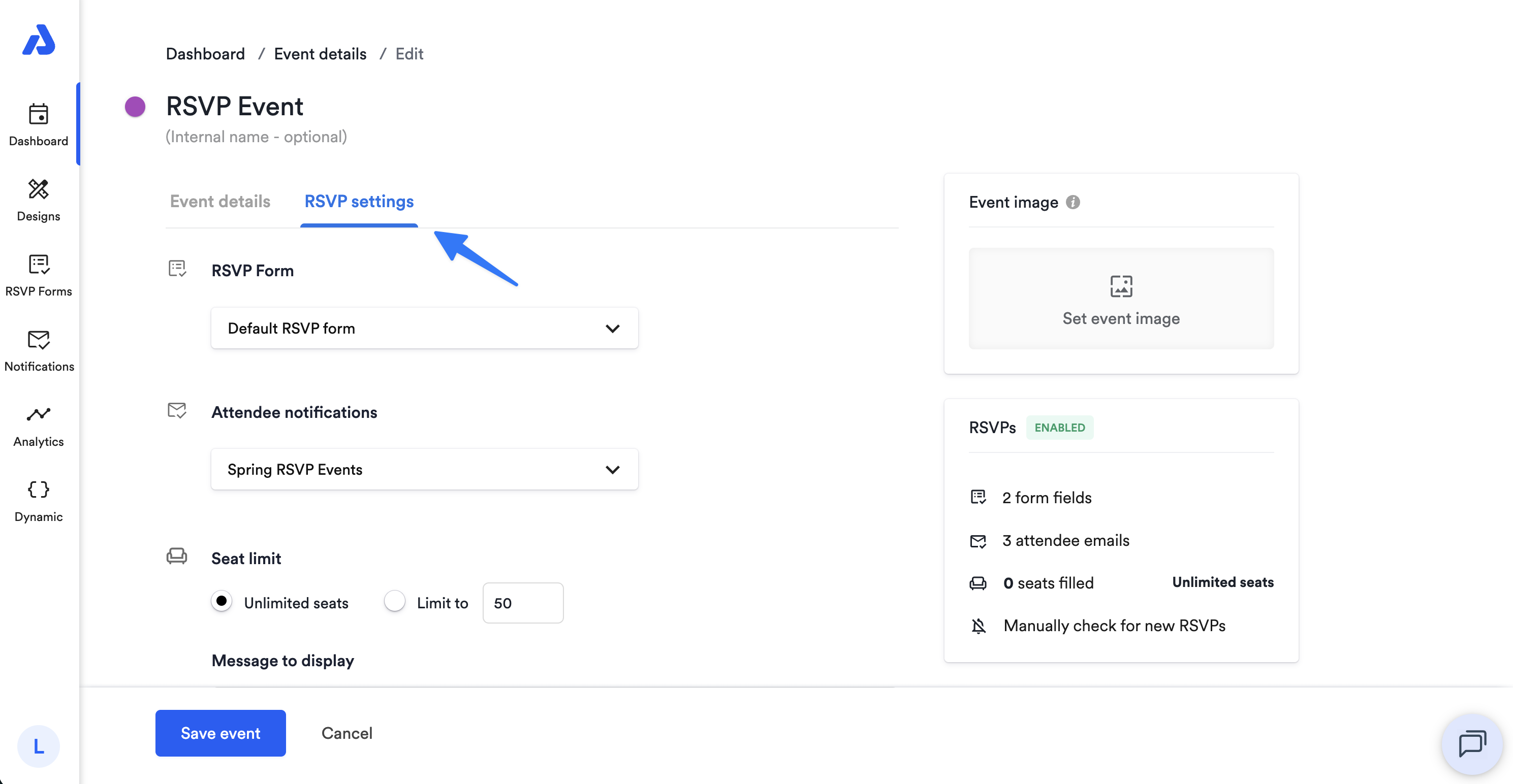
From the Edit page, select the RSVP settings tab.
-
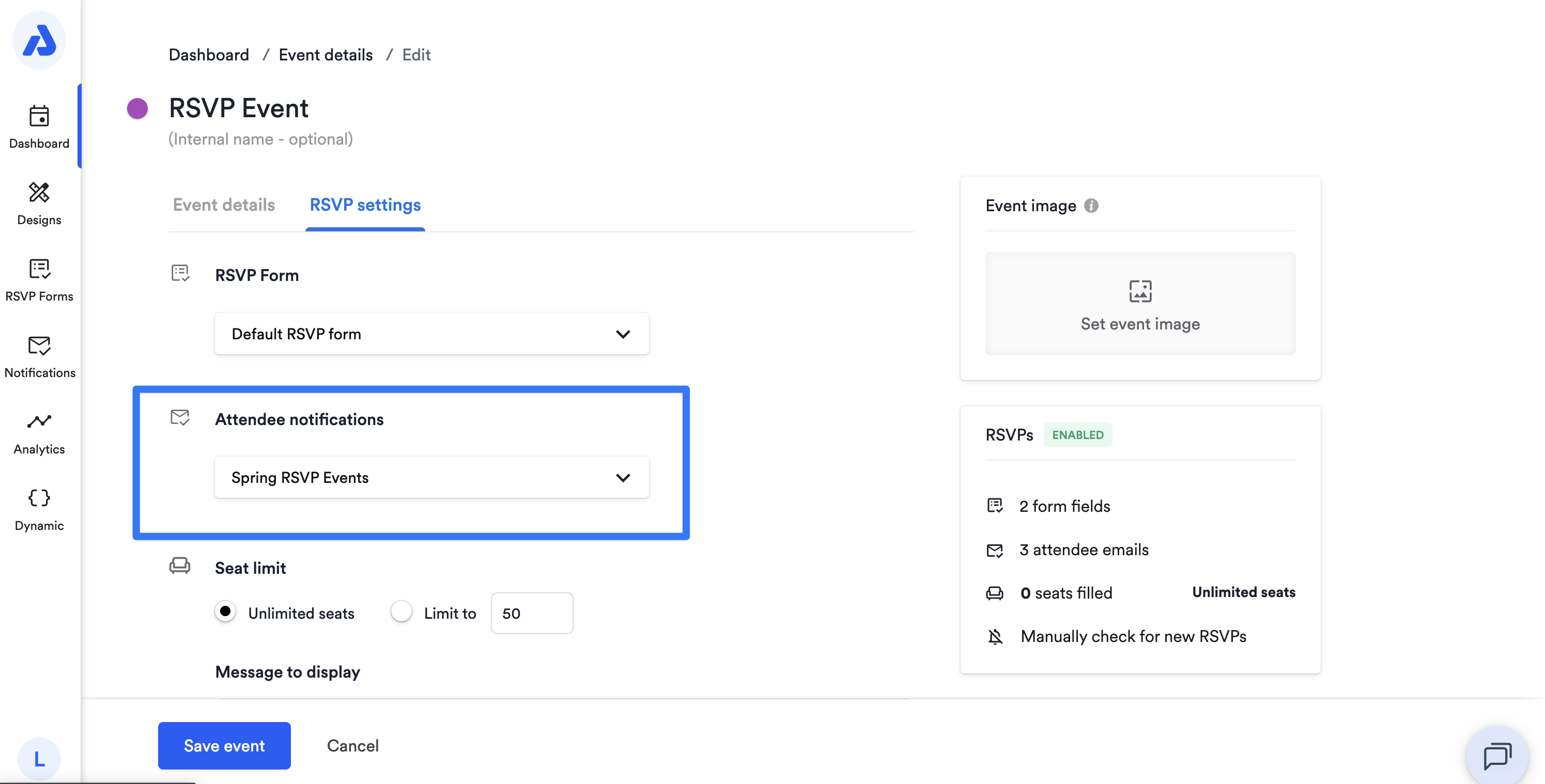
Click the Attendee notifications dropdown.
-
Select your preferred Notification Flow from the dropdown list.
-
Click the Save event button at the bottom of the page.
Watch This Tutorial!
Updated about 2 months ago
Did this page help you?