

How to Delete RSVP Form Fields in AddEvent
This help doc shares instructions on how to delete RSVP Form Fields.
How to Delete RSVP Form Fields
To delete form fields from your RSVP Forms, follow the below steps:
-
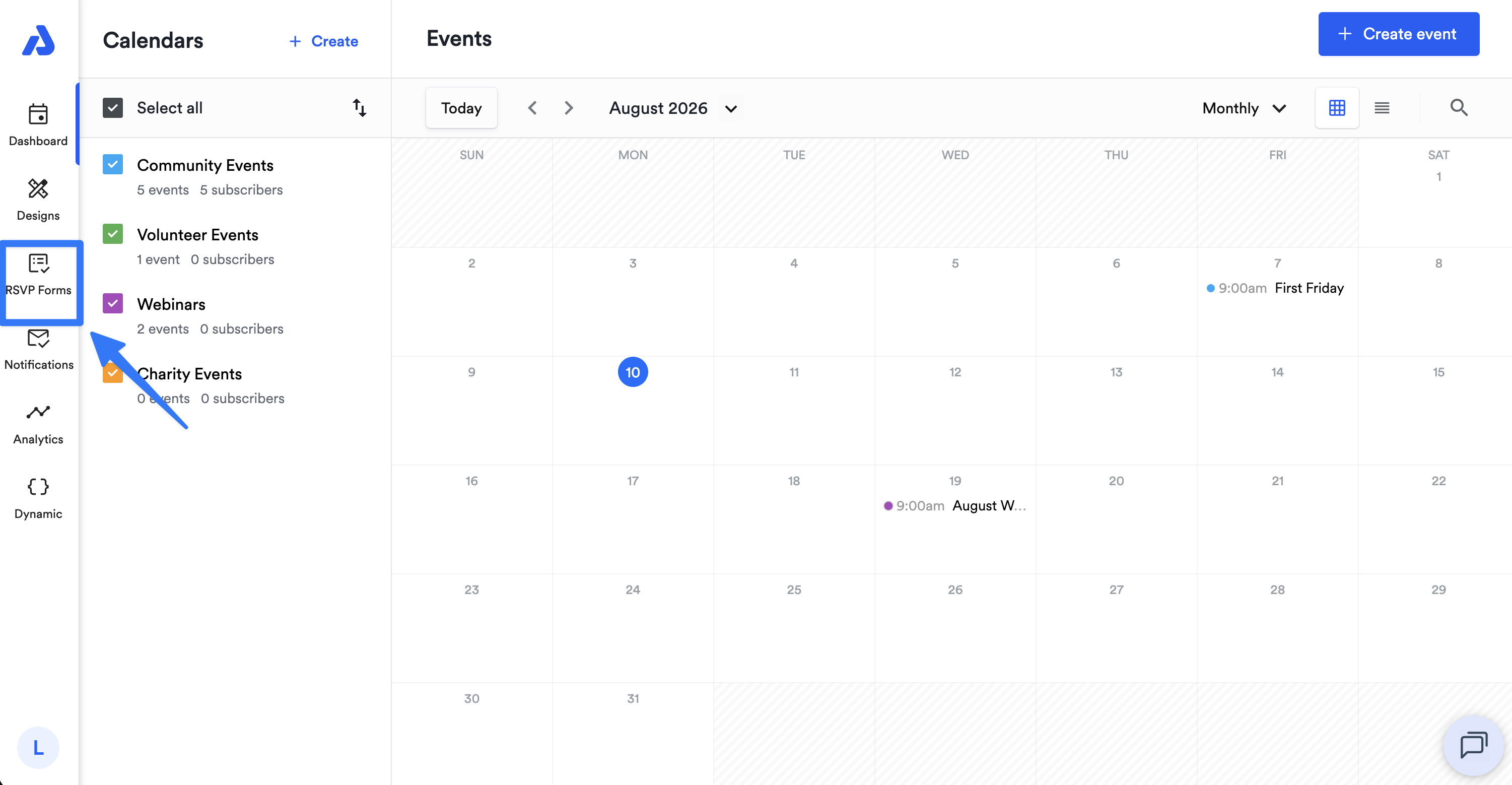
From the Dashboard, select the RSVP Forms tab located on the left-side navigation menu.
-
Click the ellipsis (...) icon located on the top-right of the RSVP Form you would like to edit.
-
From the dropdown, select the Edit option.
-
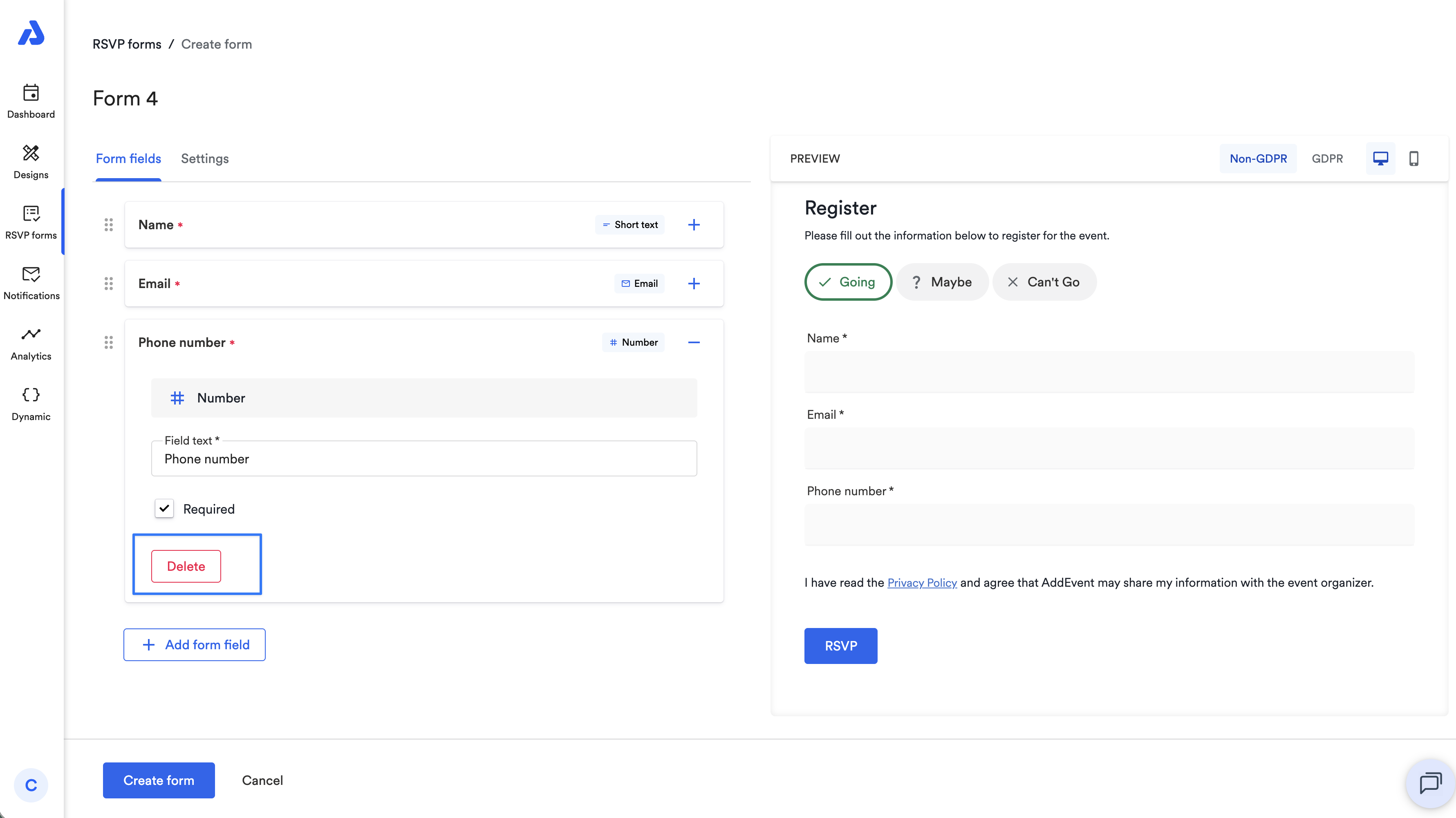
Once in the Form fields section, expand the form field you want to delete and click Delete.
-
Once finished, click the Save form button located at the bottom of the page.
Updated 8 days ago
Did this page help you?