

Apply a RSVP Form to an Event in AddEvent
This help doc shares instructions on how to apply your custom RSVP Form to your RSVP events.
How to Apply an RSVP Form to an Event
To apply your custom RSVP Form to your event, follow the below steps:
-
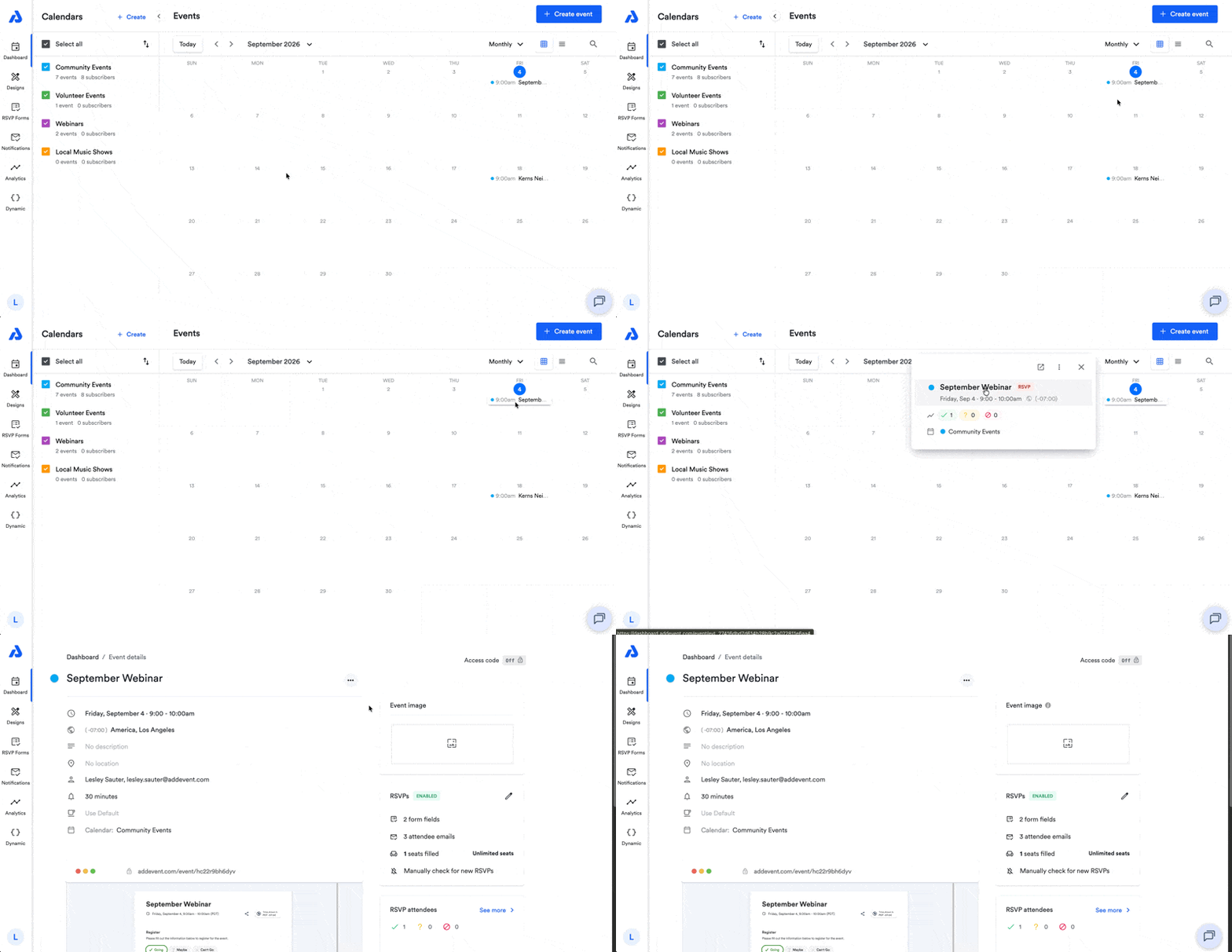
Click on the RSVP event's title from the Dashboard. You will be directed to the Event details page.
-
You can also click the three vertical dots icon within the modal pop-up window, and then select the Edit option.
-
-
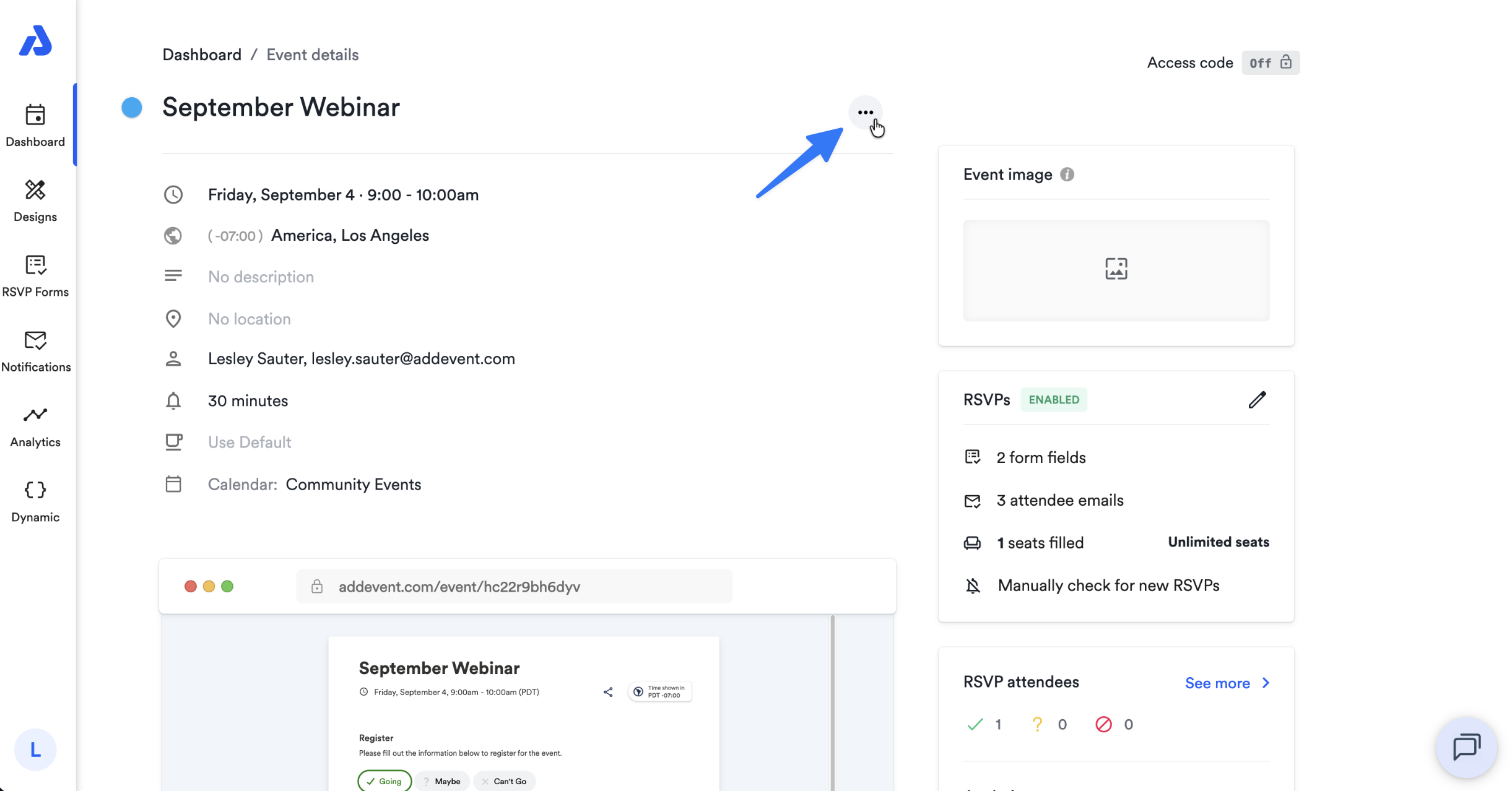
Click the ellipsis icon (...) located to the right of the event's title.
-
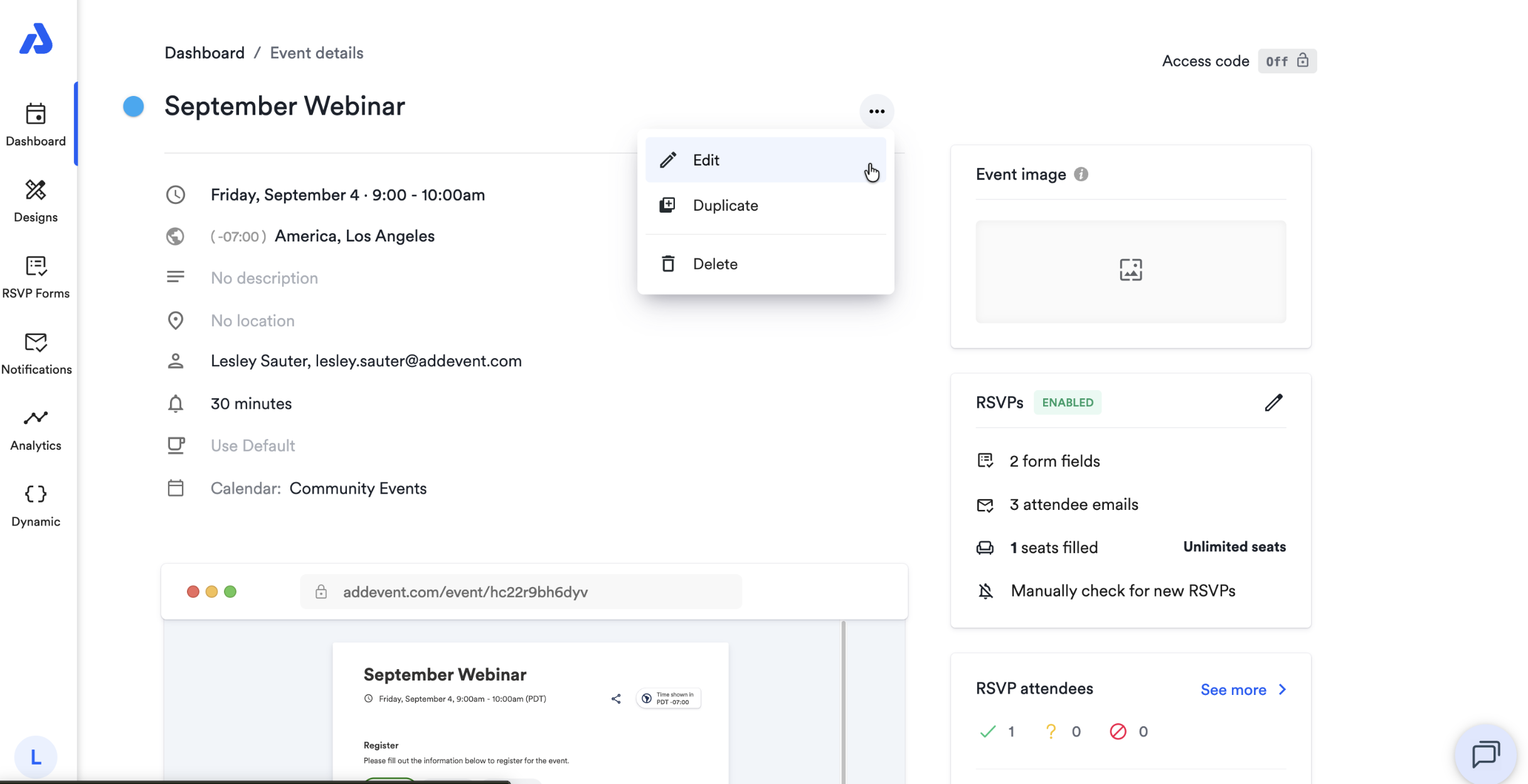
Select the Edit option from the dropdown.
-
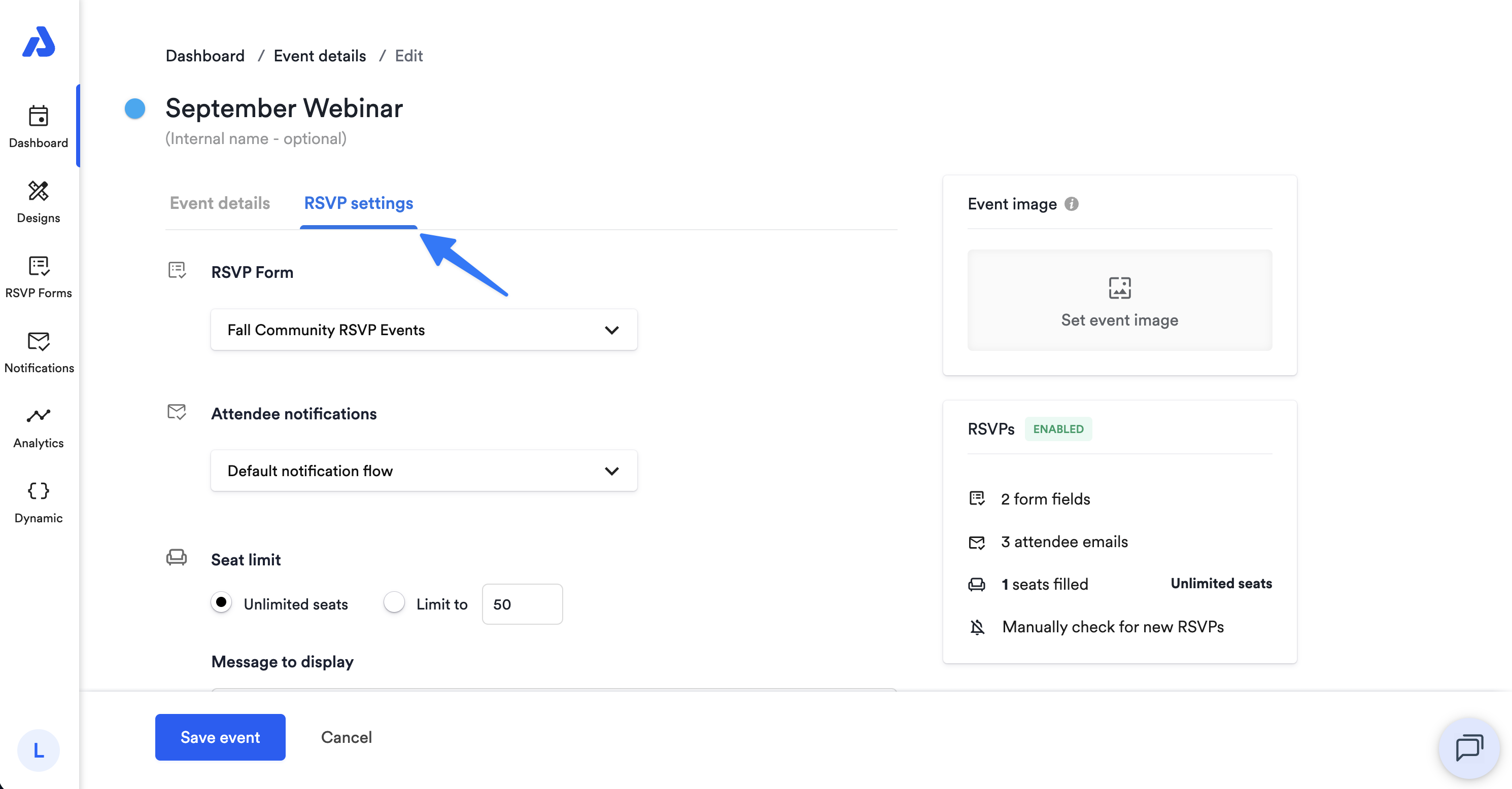
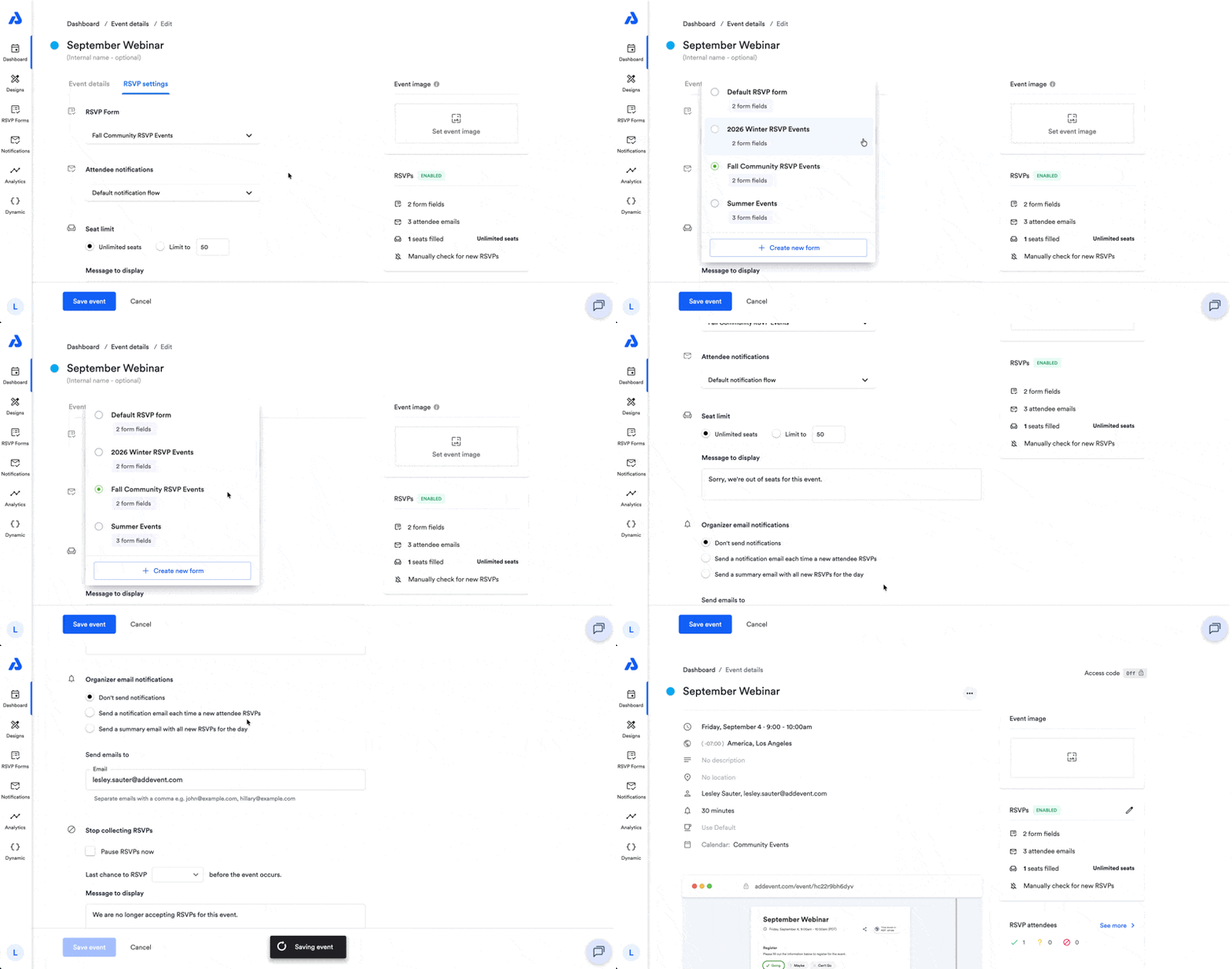
Select the RSVP settings tab.
-
Click the RSVP Form dropdown menu to select your preferred RSVP form.
-
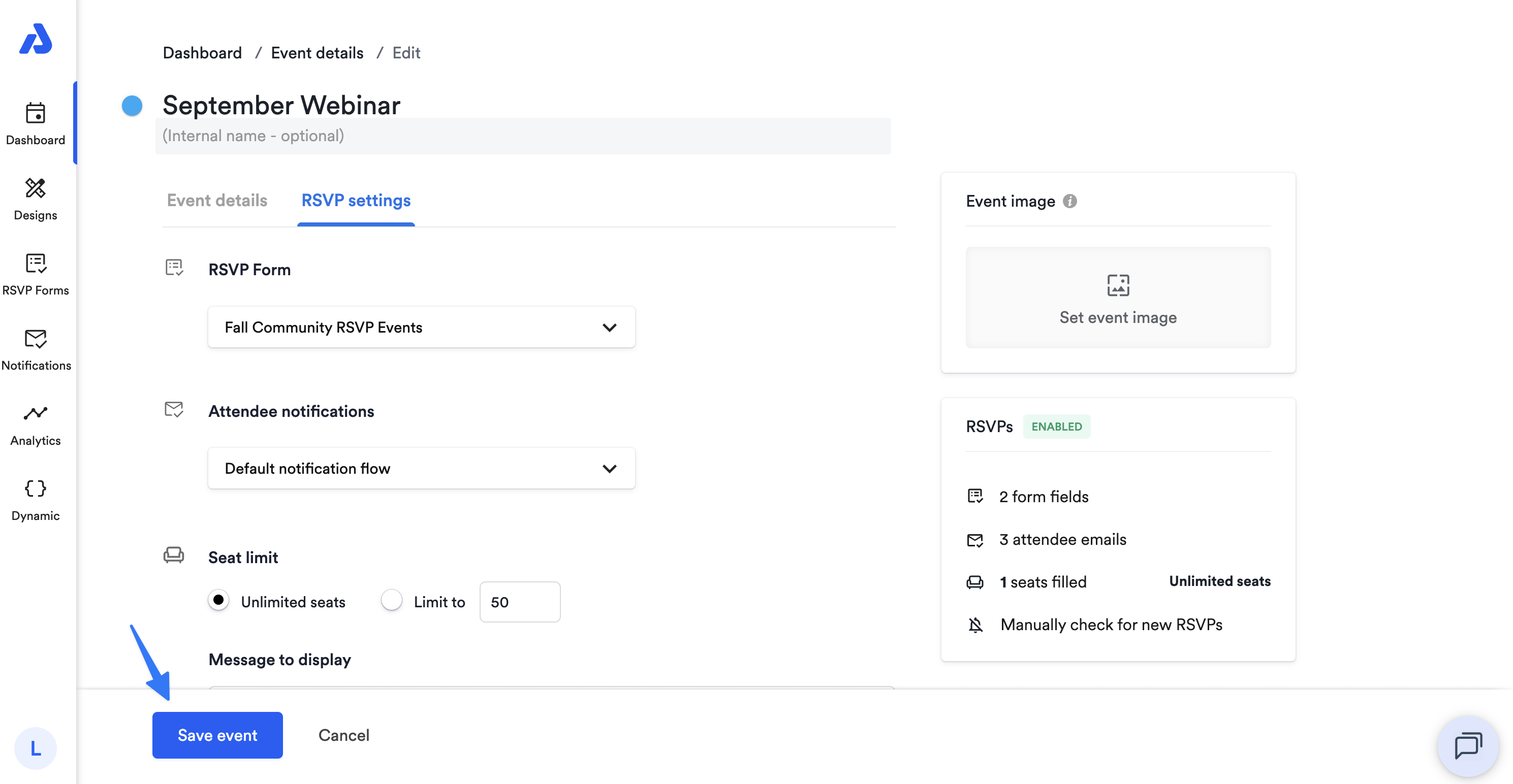
Click the Save Event button.
Updated about 2 months ago
Did this page help you?