

How to Apply an Email Design to Your Email Notifications
This help doc shares instructions and a tutorial video on how you can apply your Email Design to your Email Notifications.
How to Apply an Email Design to Your Email Notification
These instructions assume you have already created an Email Design and a Notification Flow. To learn about creating each, please see the below help docs:
-
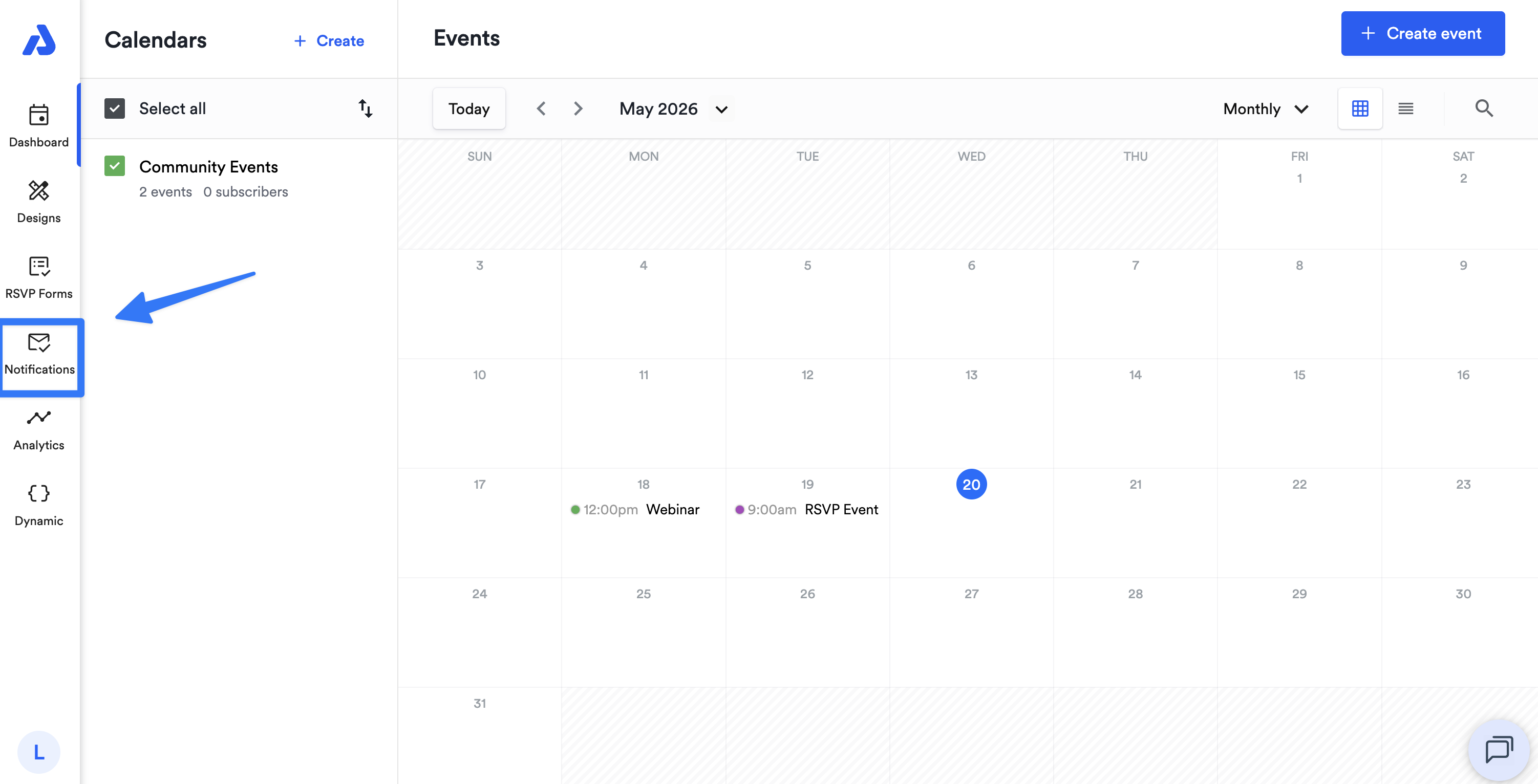
From the Dashboard, click the Notifications tab on the left-side navigation menu.
-
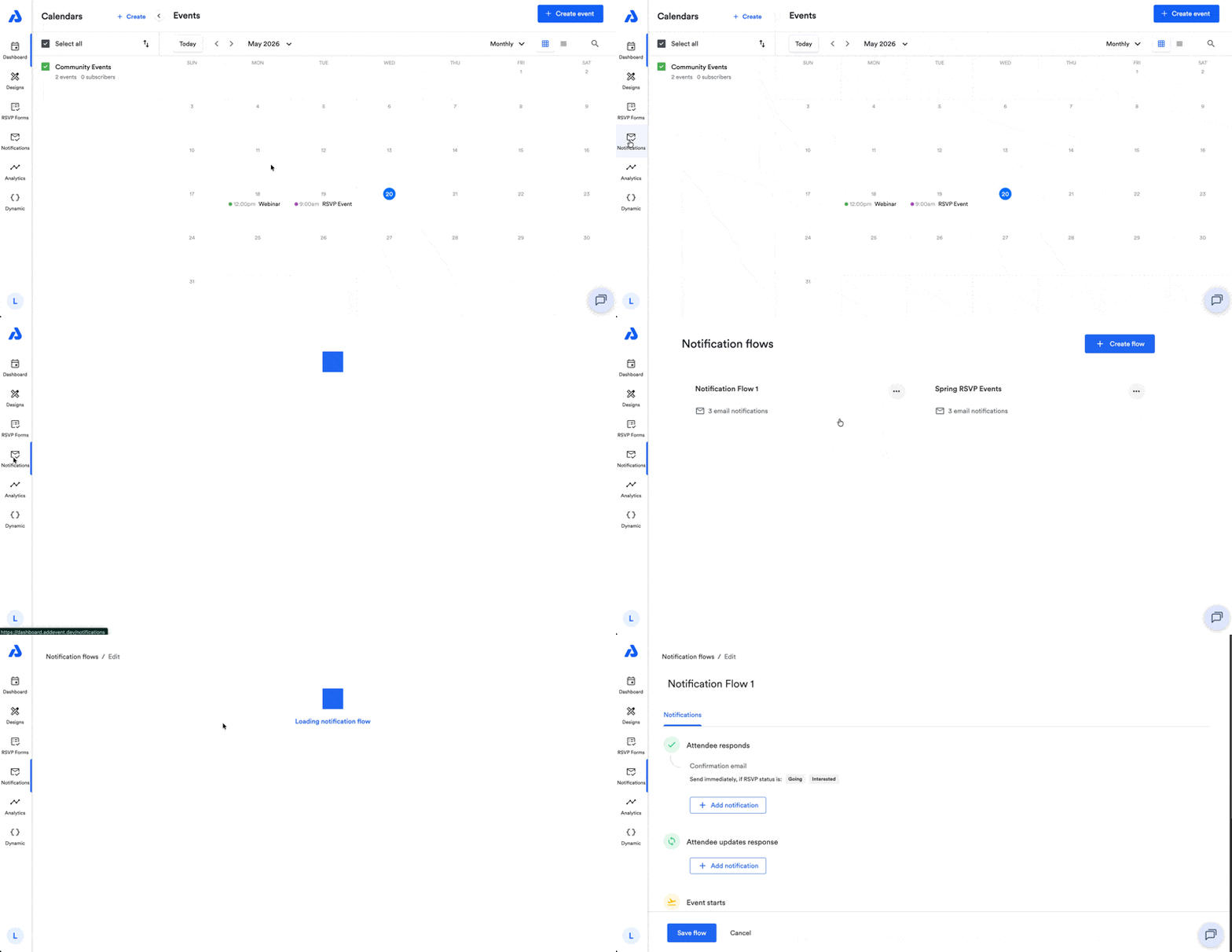
Select the Notification Flow where the email notification exists.
-
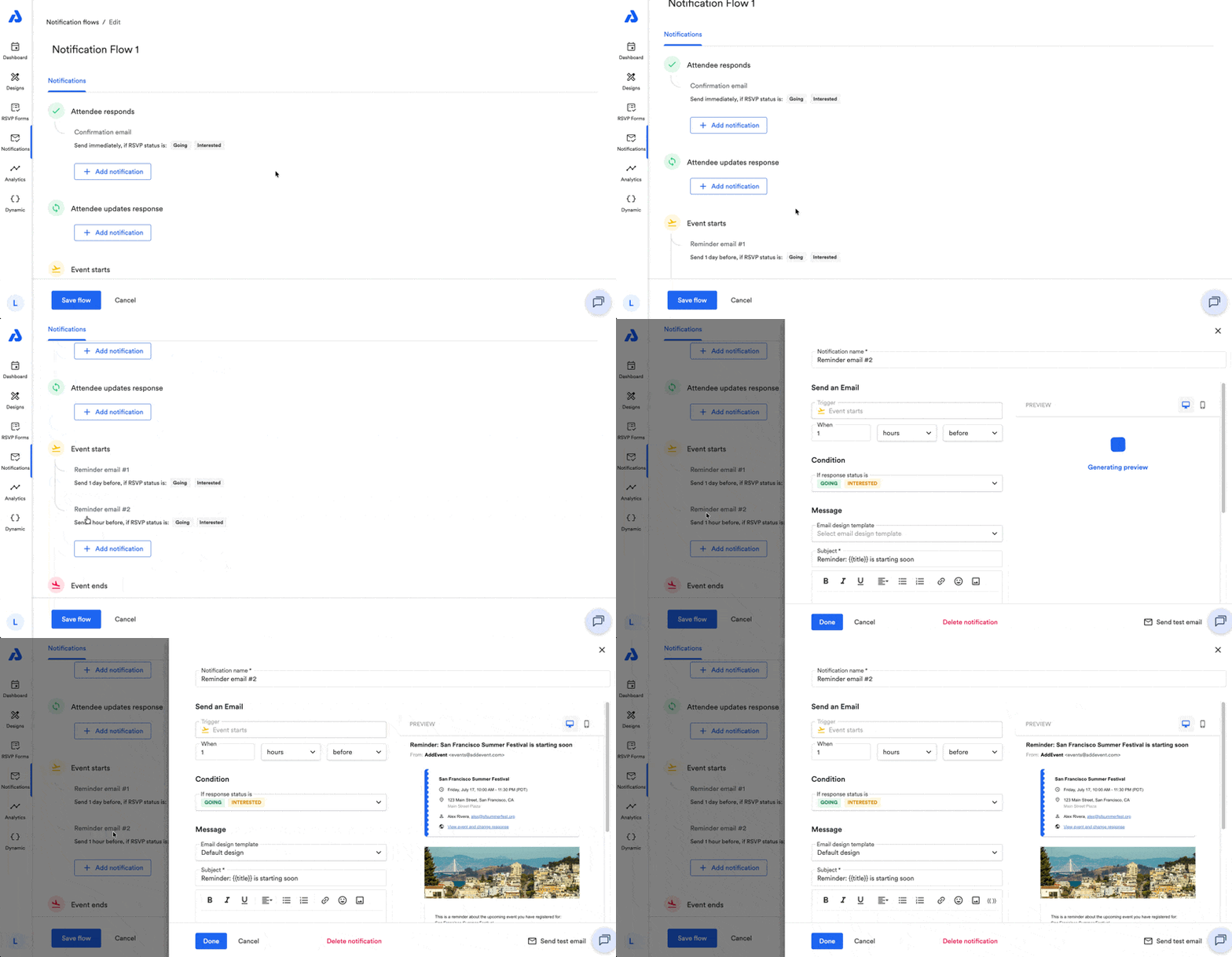
From the Edit page, select the email within the Notification Flow that you would like to apply the Email Design to.
-
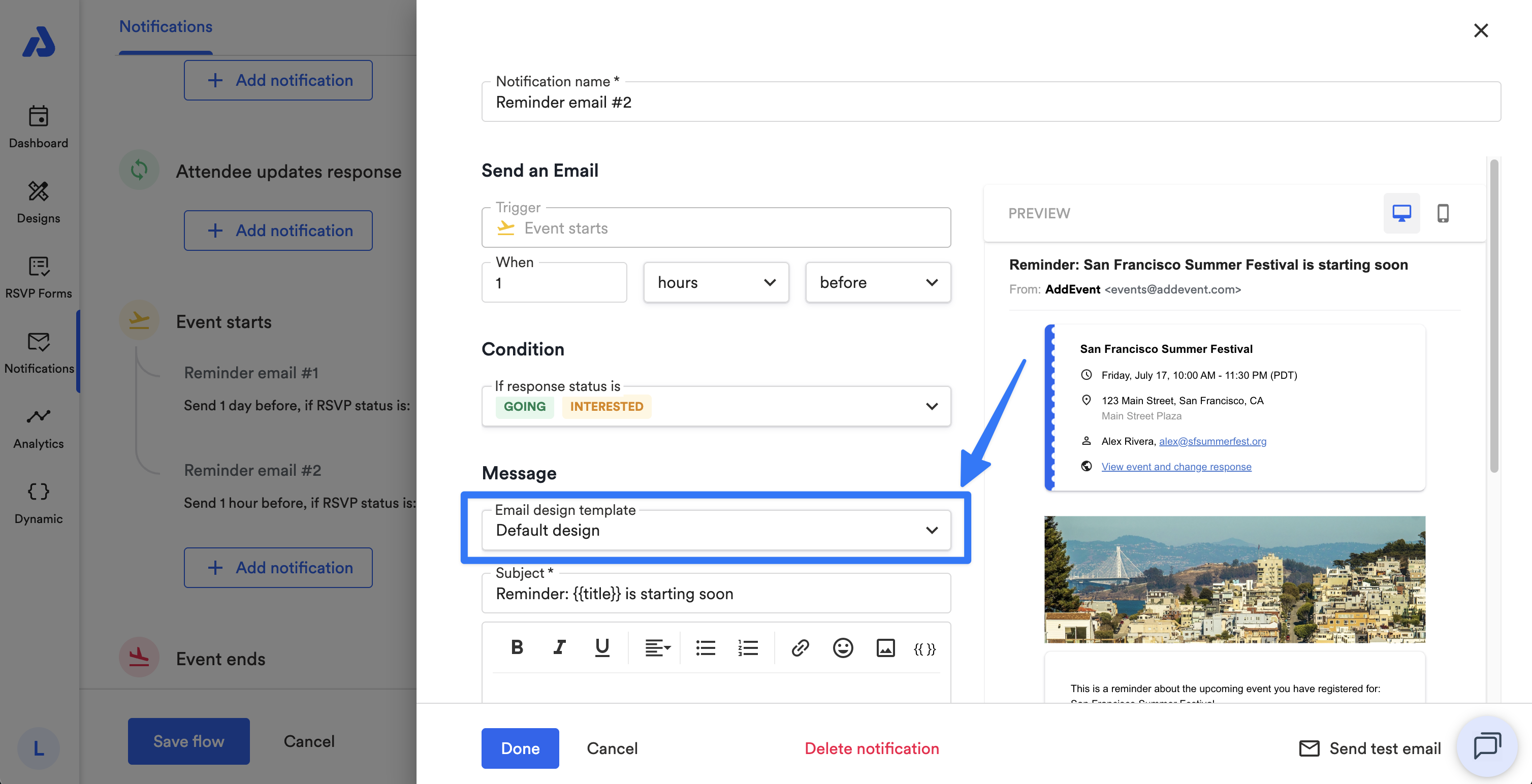
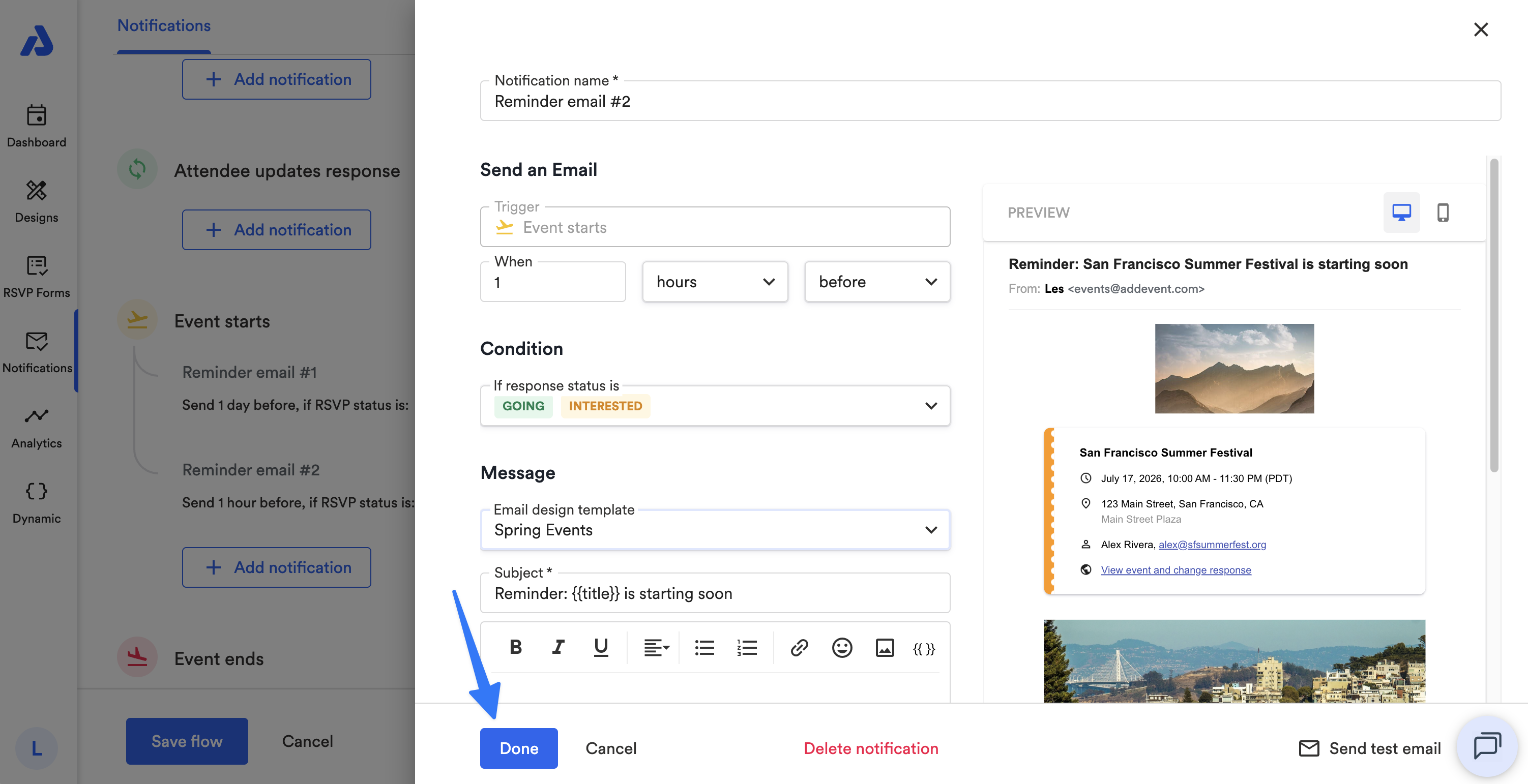
Within the email notification's settings, under the Message section, select the Email design template dropdown.
-
Select your preferred Email Design from the dropdown.
-
Click the Done button at the bottom of the page.
-
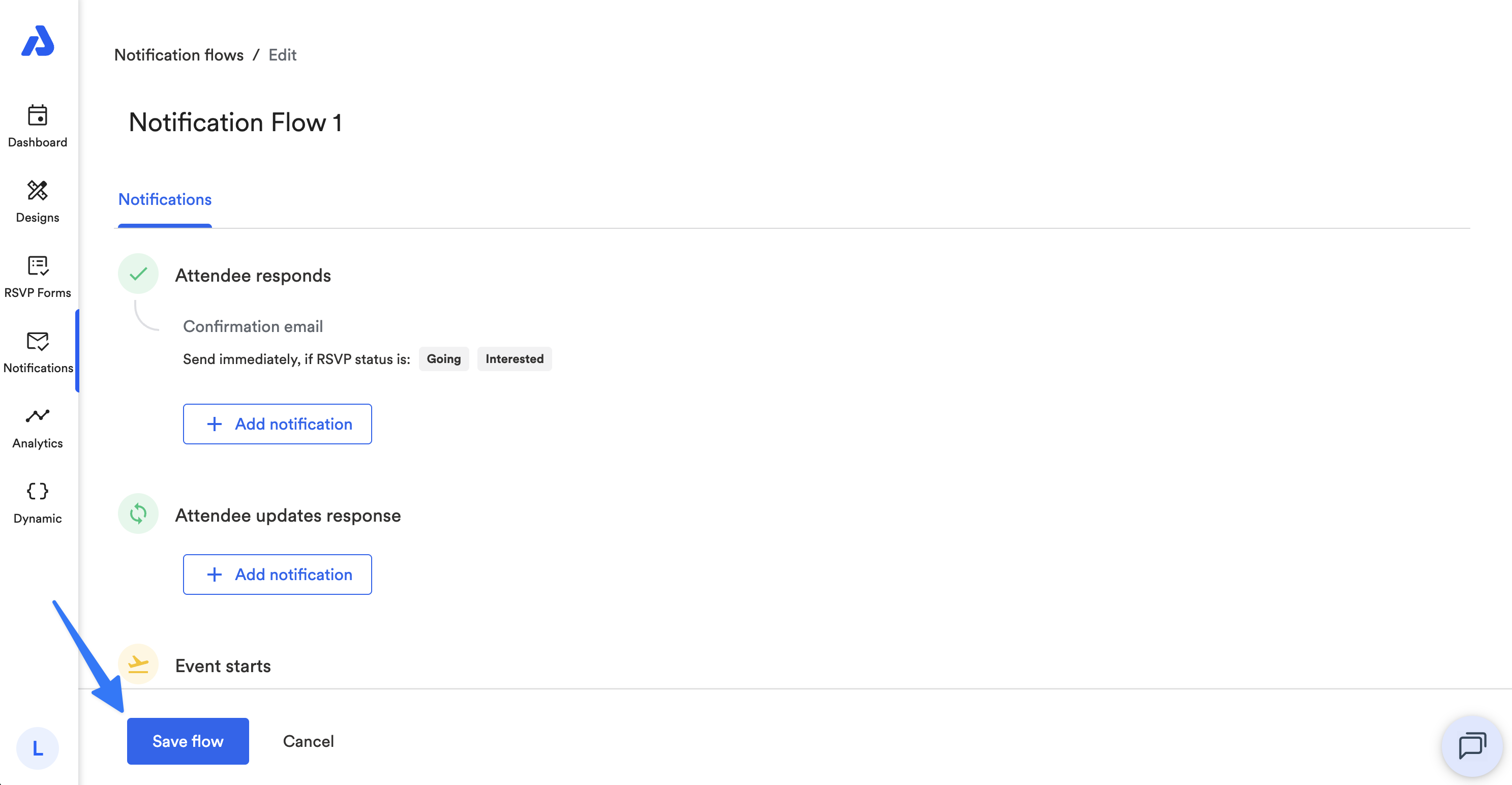
Click the Save flow button on the bottom of the page.
Watch This Tutorial!
Updated about 2 months ago