

Issues Caused by Pasting Content into Event Descriptions
When creating or updating events in AddEvent, pasting content directly into the event description can sometimes lead to unexpected behavior or errors. These issues are most commonly caused by hidden formatting or content that exceeds calendar provider limits. This guide outlines known issues we’ve seen related to pasted content, why they happen, and recommended steps to prevent or resolve them.
You may run into one of the issues outlined below after pasting content into your event's description. Pasted in content may include hidden HTML, inline styling, or special characters that aren’t fully supported by calendar providers. Even when content looks clean in AddEvent, those hidden elements can cause issues once the event is added to an end-users external calendar or prevent the event from being added to their calendar.
An example of an error related to this is "414 URI Too Long".
Character Count Errors or Unexpected or Broken Formatting on End-User Calendars
When pasting content from another source into your event's description it often includes additional and unnecessary formatting within the code. This results in a high character count.
To avoid this, please paste in your description without formatting and add the formatting via the text editor within the event description.
Best Practices
Before pasting content into an event description:
- Paste text into a plain-text editor first (e.g., Notes, TextEdit in plain text mode, Google Docs, etc.). Then, re-copy the text and paste it into AddEvent.
- OR, paste the text in without formatting:
- Command + Shift + V (Macbook)
- Ctrl + Shift + V (Windows PC)
- Ctrl + Alt + V
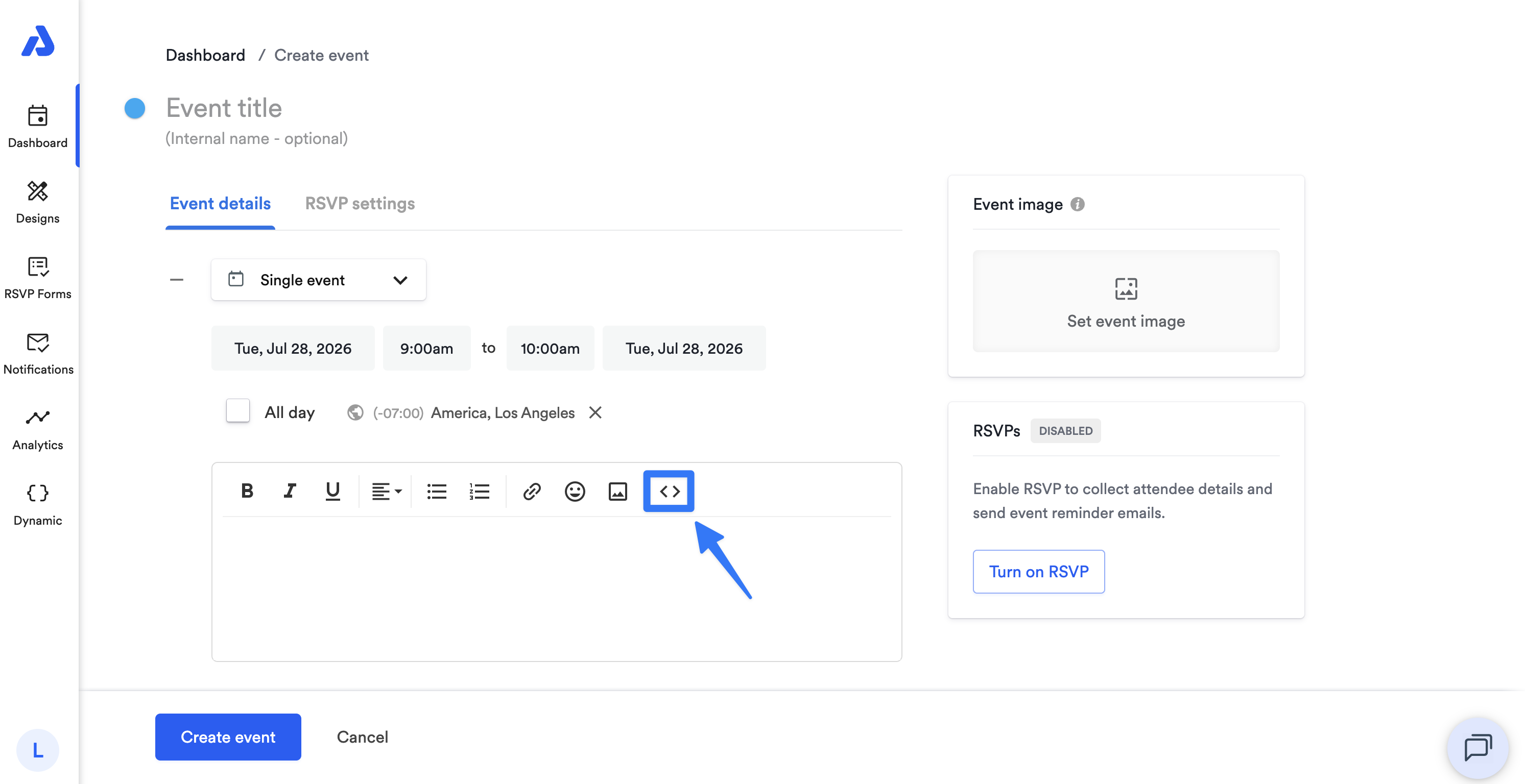
- View the description in code view to see the formatting that is added when pasting in content. You can click the code option as shown below:
Updated 2 months ago