

Landing Page Links for Events
This help doc shares information about the function of the event landing page and how you can share it with your end-users. An event landing page provides your end-users with essential event details and allows them to add the event to their calendars. Each time you create an event, a unique landing page link is generated with a specific URL. Share the event on social media like Facebook, X (Twitter), Instagram, Messenger, WhatsApp, or link to it in an email or newsletter campaign.
How to Share the Event Landing Page Links
- To share the event landing page links, begin on the Event details page.
- To navigate to the Event details page, click on the event's title from the Dashboard.
- Scroll down to the Event landing page preview section.
- Under the Design dropdown, you will find two URLs: one generic link and one short link. You can copy either link to share your event in a text message, email, social media post, or hyperlinked text.
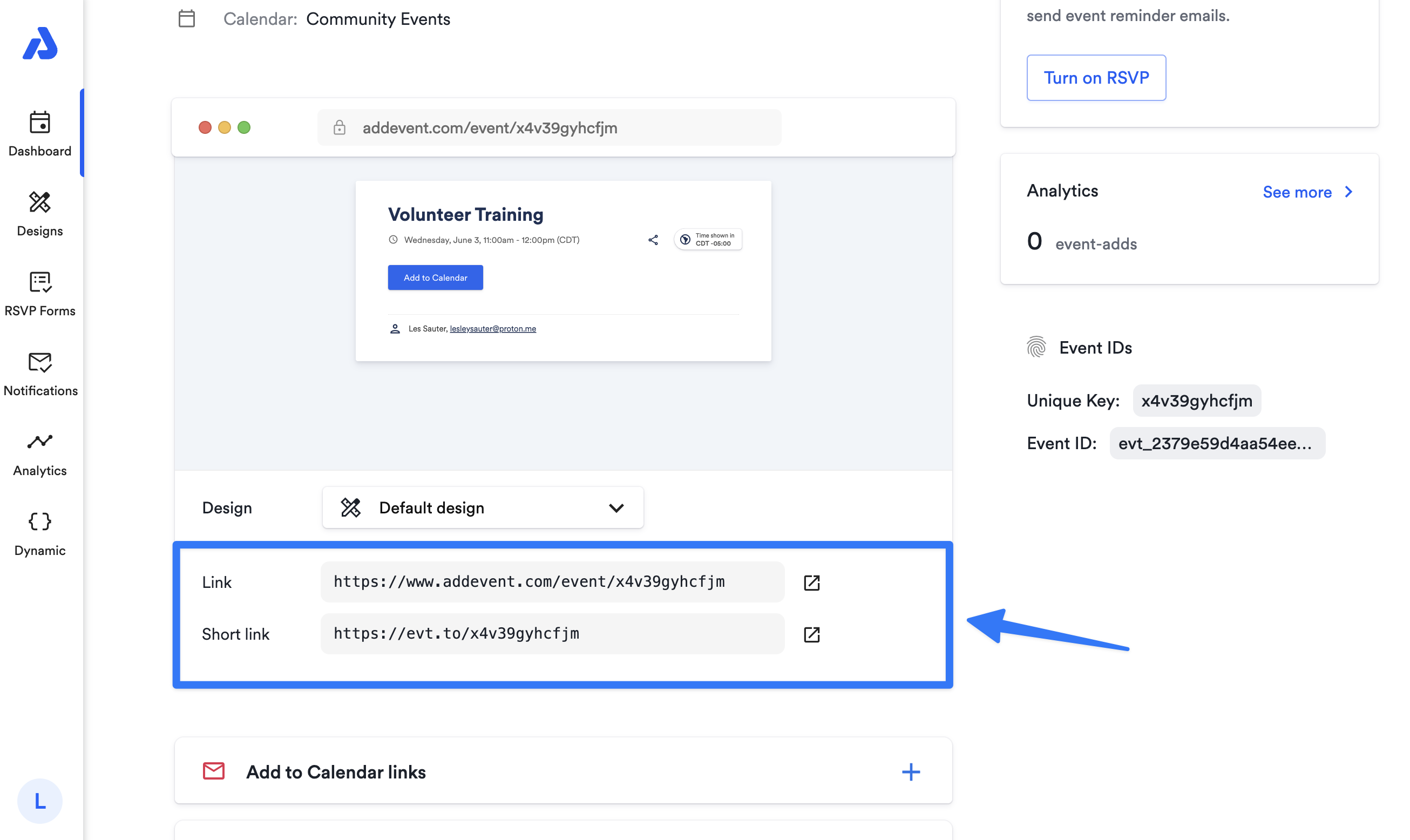
If you click the icon located to the right of the links, you will be directed to the event landing page. There, you can preview what your attendees will observe before sharing the link with your audience.
User Experience on the Event Landing Page
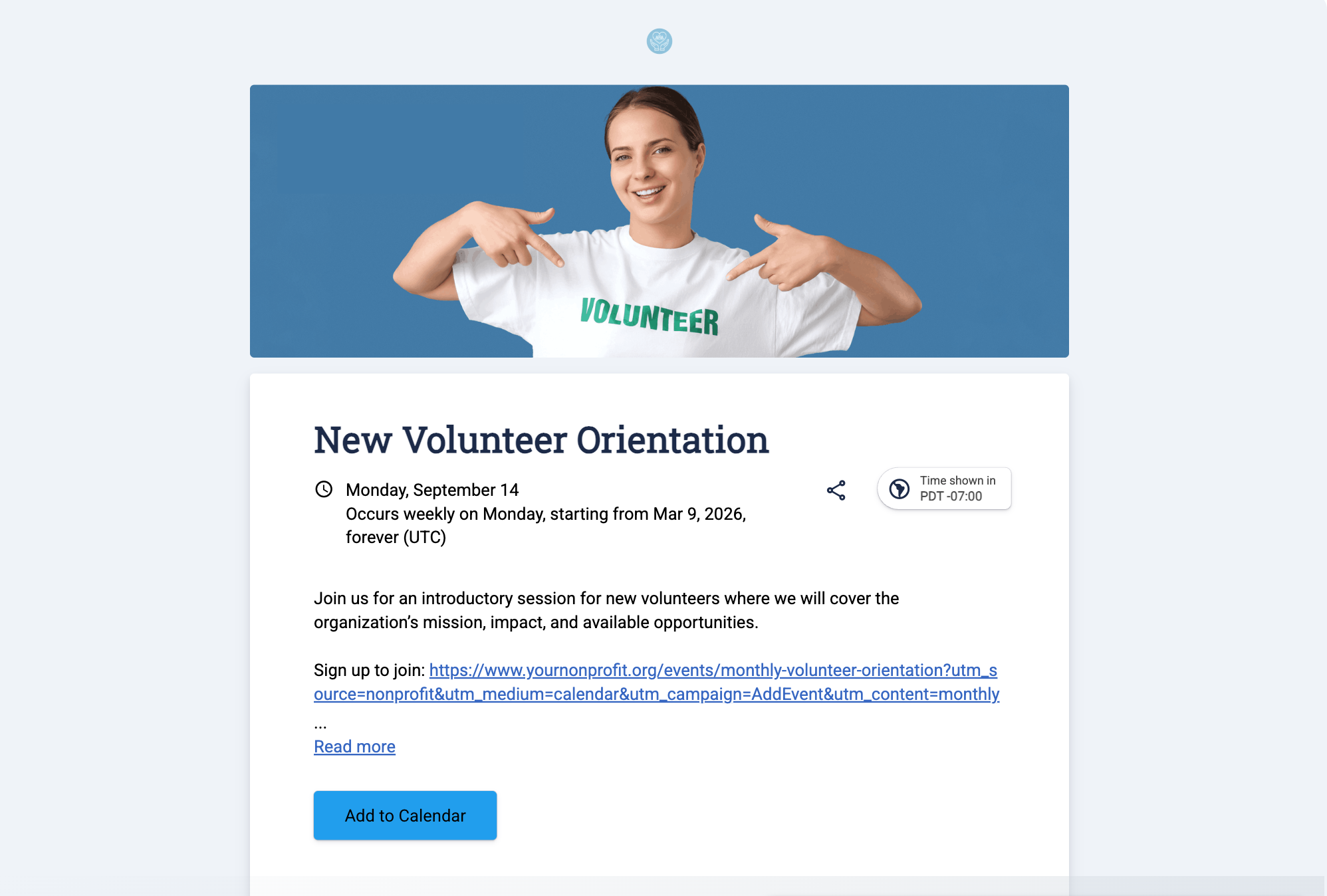
When attendees click the event landing page link from where you've shared the event, they will be directed to the event landing page. There, they can view event details and add the event to their calendars.
Updated about 1 month ago